Managing your VPN order
A comprehensive guide to managing your VPN services within the Fornex dashboard.
VPN (Virtual Private Network) technology creates a secure, encrypted "tunnel" for your internet traffic. It masks your real IP address, ensures online anonymity, and protects your data from interception. Whether you are using public Wi-Fi or need to bypass regional content restrictions, a VPN is an essential tool for digital privacy.
You can manage every aspect of your service using the dashboard. To get started, go to your VPN section.
General information & renewals
The main dashboard view provides a snapshot of your current service:
- Order Details: Service name, order number, and expiration date.
- Connection Credentials: Server address, username, and password.
- Auto-Config Profiles: Ready-to-use profiles for quick setup.
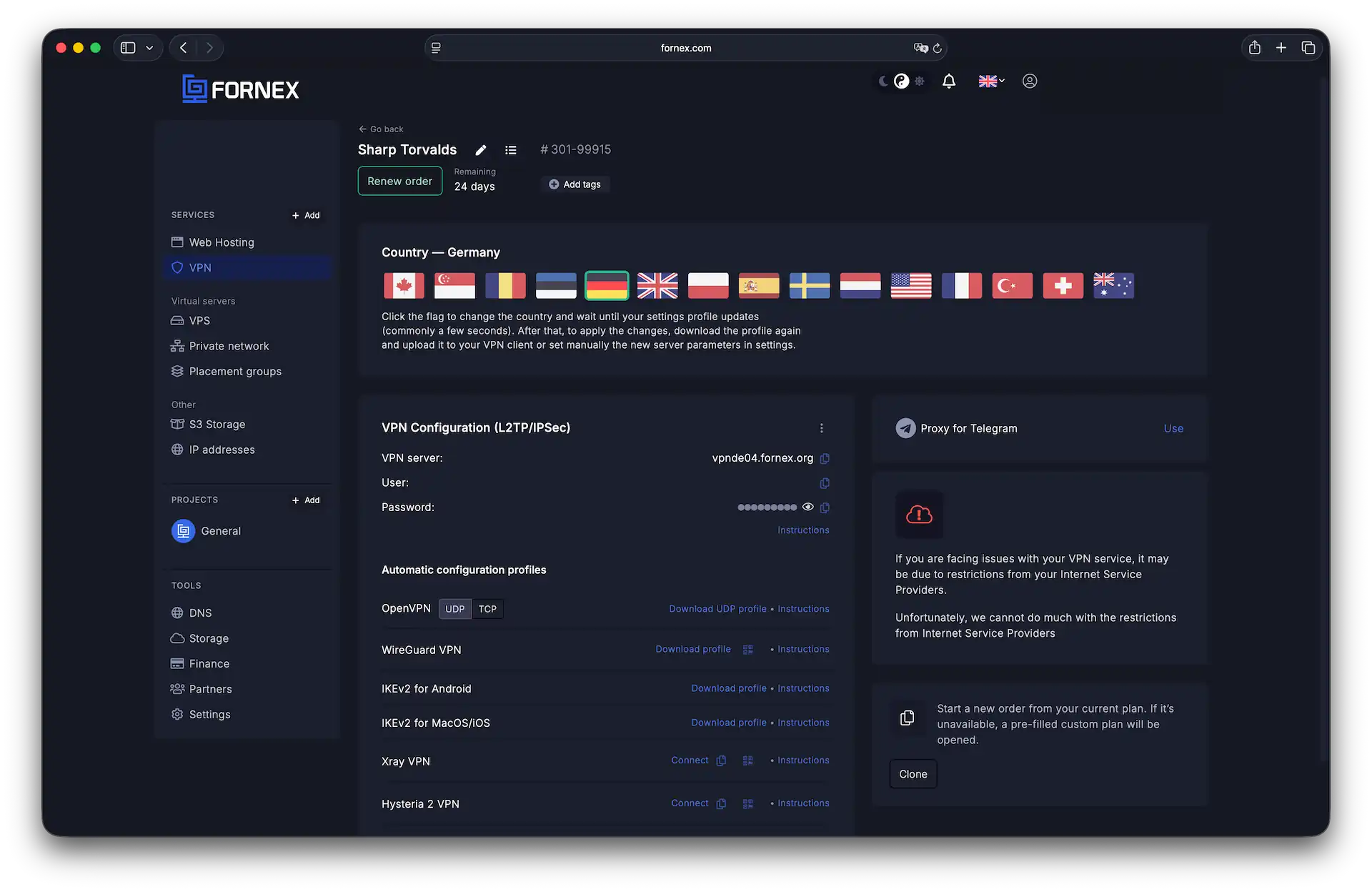 Essential connection details and credentials
Supported connection protocols
To ensure compatibility across all your devices, we support several industry-standard protocols. You can download configuration files or view detailed setup guides for each protocol directly from the dashboard.
Important
When using OpenVPN, IKEv2, WireGuard, Outline, or Xray, only one active connection is permitted at a time per order.
1. OpenVPN
Our most versatile protocol. It is available in two flavors:
- UDP: Recommended for most users as it offers significantly higher speeds.
- TCP: Use this if you encounter connection issues on UDP (often caused by strict ISP firewalls).
2. IKEv2
A robust protocol based on IPsec. It is highly valued for its stability, especially when switching between networks (e.g., moving from Wi-Fi to mobile data), and offers excellent performance.
3. WireGuard
A modern, high-performance protocol. It is lightweight, extremely fast, and uses state-of-the-art cryptography for maximum security.
4. Outline & Xray (FoXray)
Specialized solutions designed to bypass sophisticated network filtering and censorship. These protocols help maintain privacy even in highly restrictive network environments.
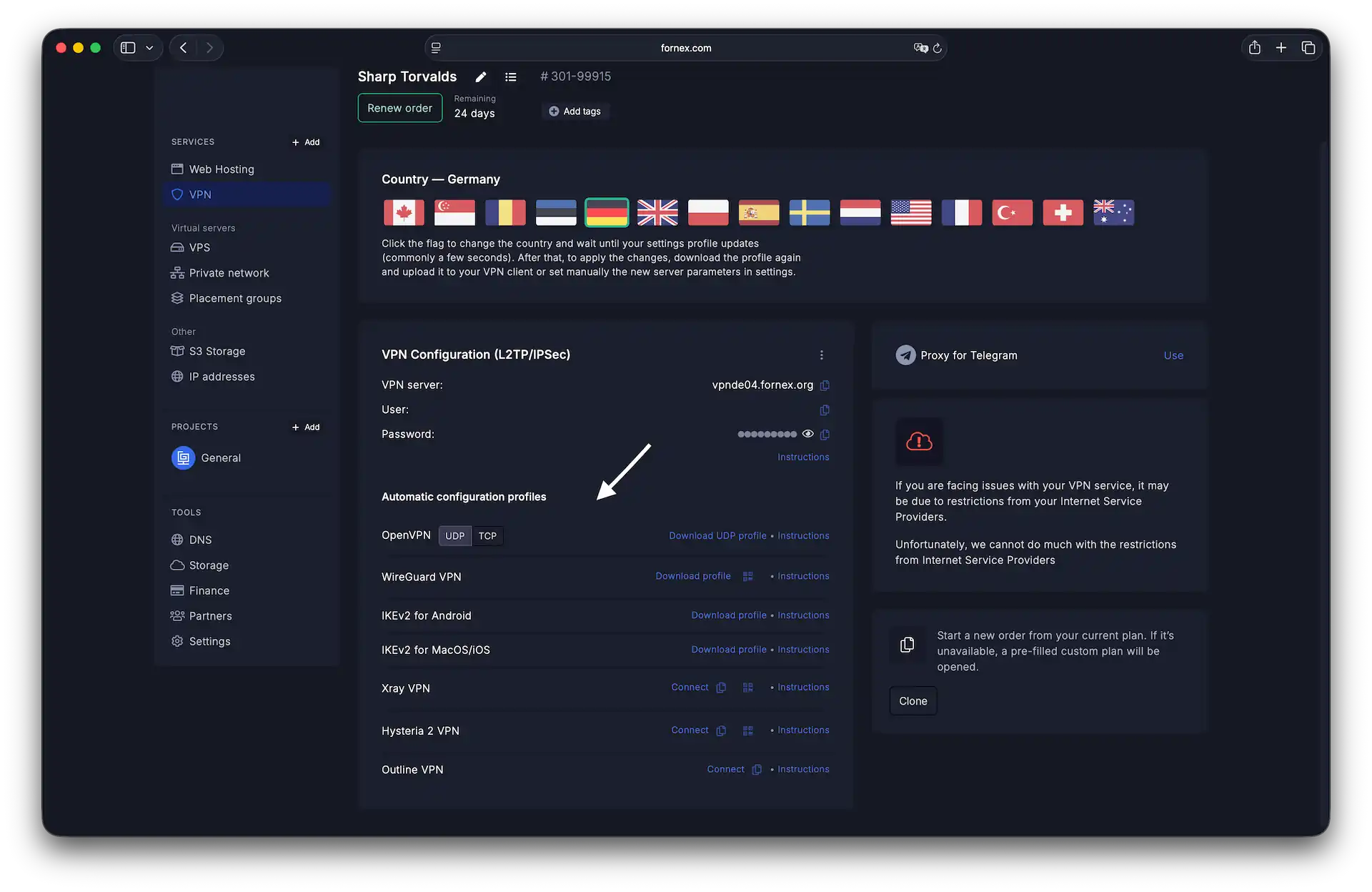 Profiles for automated setup
Additional features
Telegram proxy
Access Telegram directly without needing a full system-wide VPN connection.
Simply click Use to automatically configure the proxy within your Telegram app.
Pro tip
Unlike full VPN protocols, there are no limits on the number of simultaneous connections when using the Telegram proxy.
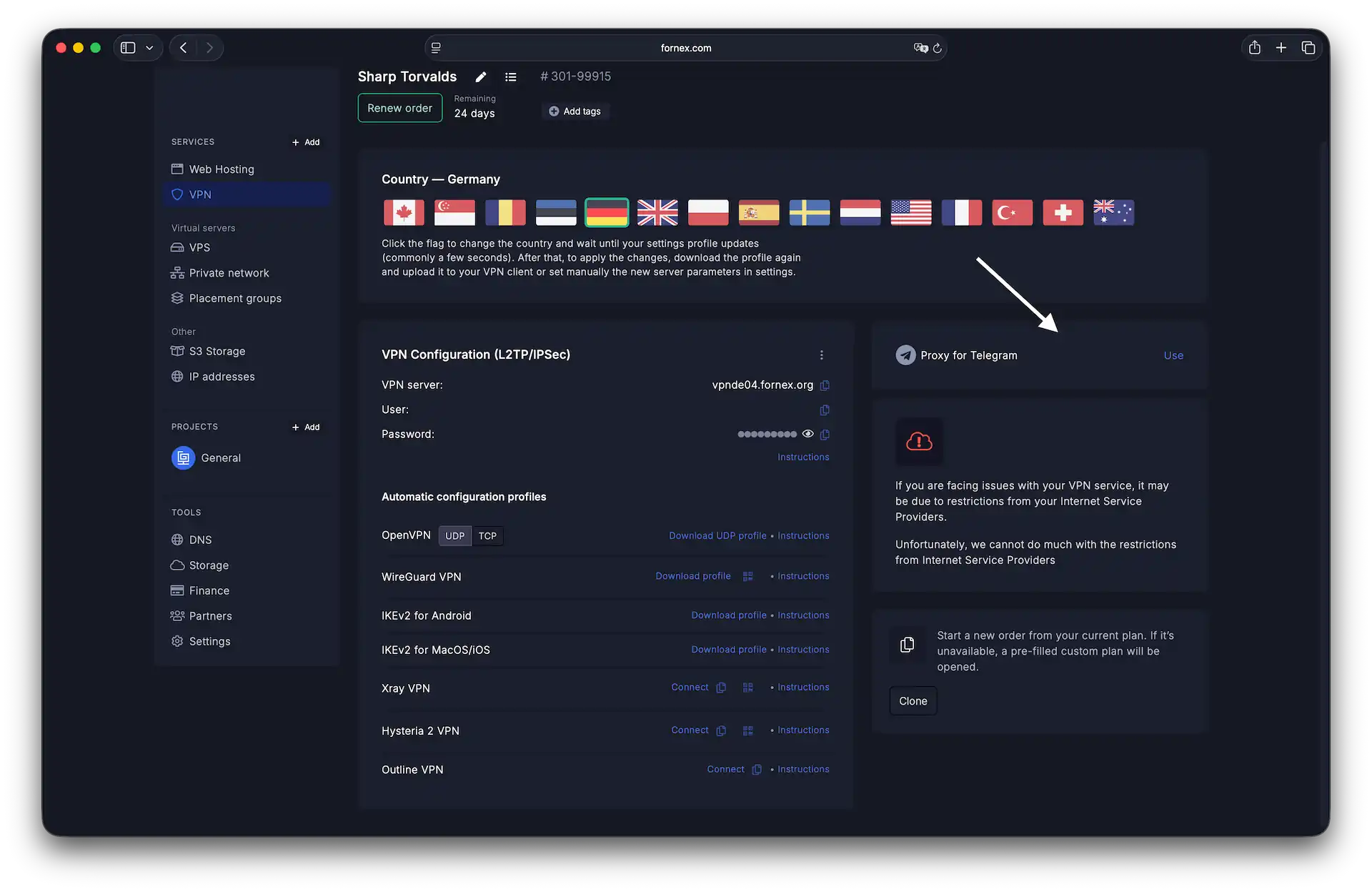 Telegram Proxy configuration
Changing locations
You can switch your server location in just one click. Choose from 15+ global locations, including:
- Europe: Germany, Netherlands, France, UK, Poland, Sweden, Romania, Estonia, Switzerland, Spain, Turkey.
- Americas: USA, Canada.
- APAC: Singapore, Australia.
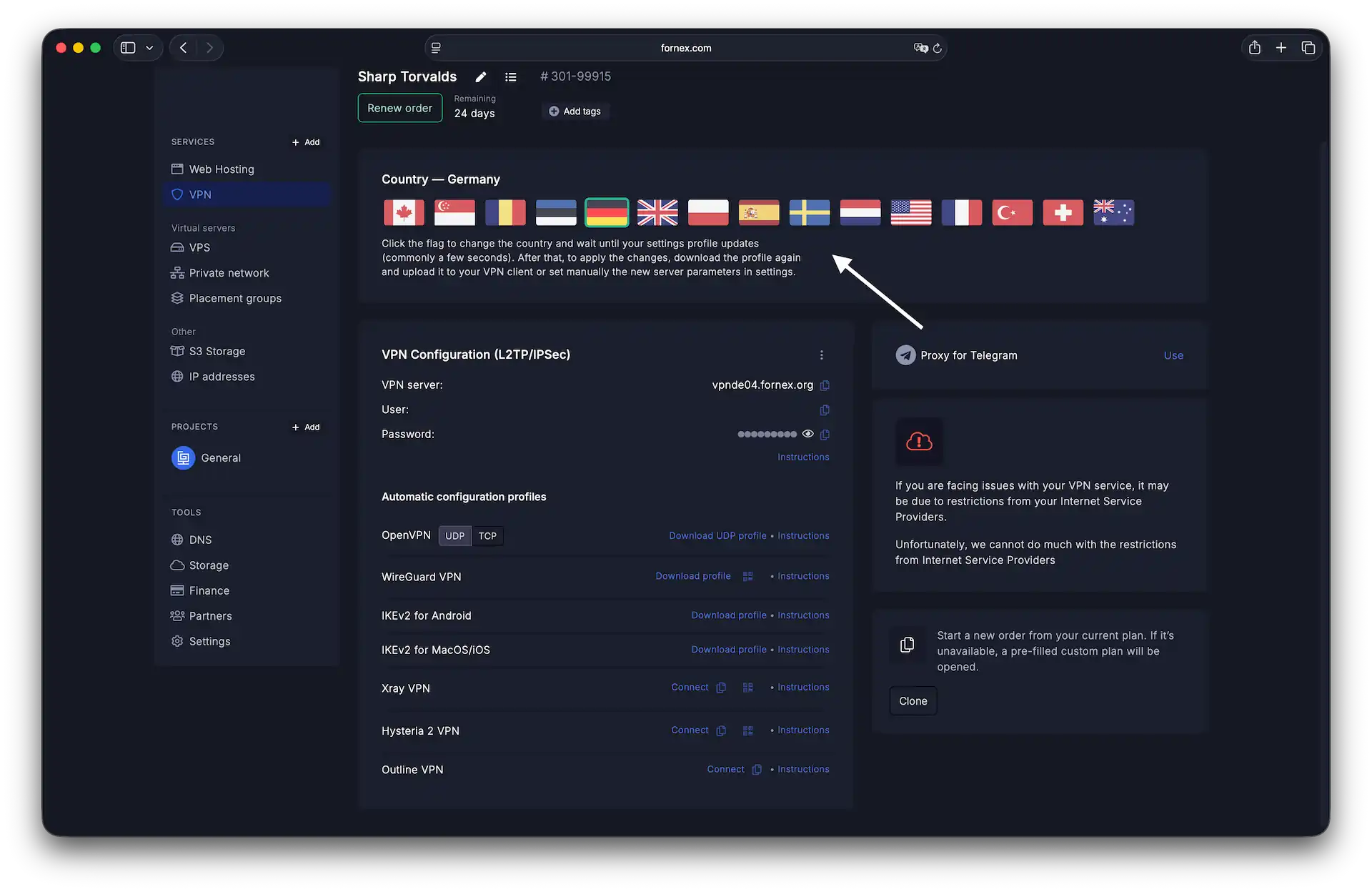 Global location switching
Note on performance
For the best speeds, we recommend selecting a location geographically closest to you. While our VPN channels support up to 100 Mbps, actual speeds depend on the protocol used and network latency.
Security & organization
Your dashboard also includes tools to keep your account organized and secure:
- Change Password: Instantly update your connection credentials.
- Custom Labels & Tags: Rename your orders or add tags for easier filtering.
- Transfer Order: Move an active VPN service to another Fornex account.
- Clone Order: Quickly replicate your settings to purchase an identical service.
- Cancellation: Toggling the "Cancel" option disables auto-renewal. Your service will remain active until the end of the paid period. For full account deletion and prorated refunds, please open a support ticket.
Help
If you have any questions or need assistance, please contact us through the ticket system — we're always here to help!