Resetting password in BeAdmin panel
Step-by-step guide to recovering access to your account.
If you’ve forgotten your BeAdmin panel password or can’t log in, you can reset it using one of two methods:
- Through the “Reset Password” feature (recommended and easiest).
- Through the server terminal (if SMTP relay is not configured).
Method 1: Using the “Reset Password” Feature
Attention
This method only works if SMTP relay is configured in the panel.
Check out this guide: How to set up SMTP relay in BeAdmin.
- Go to the BeAdmin login page.
- Click the Reset Password button.
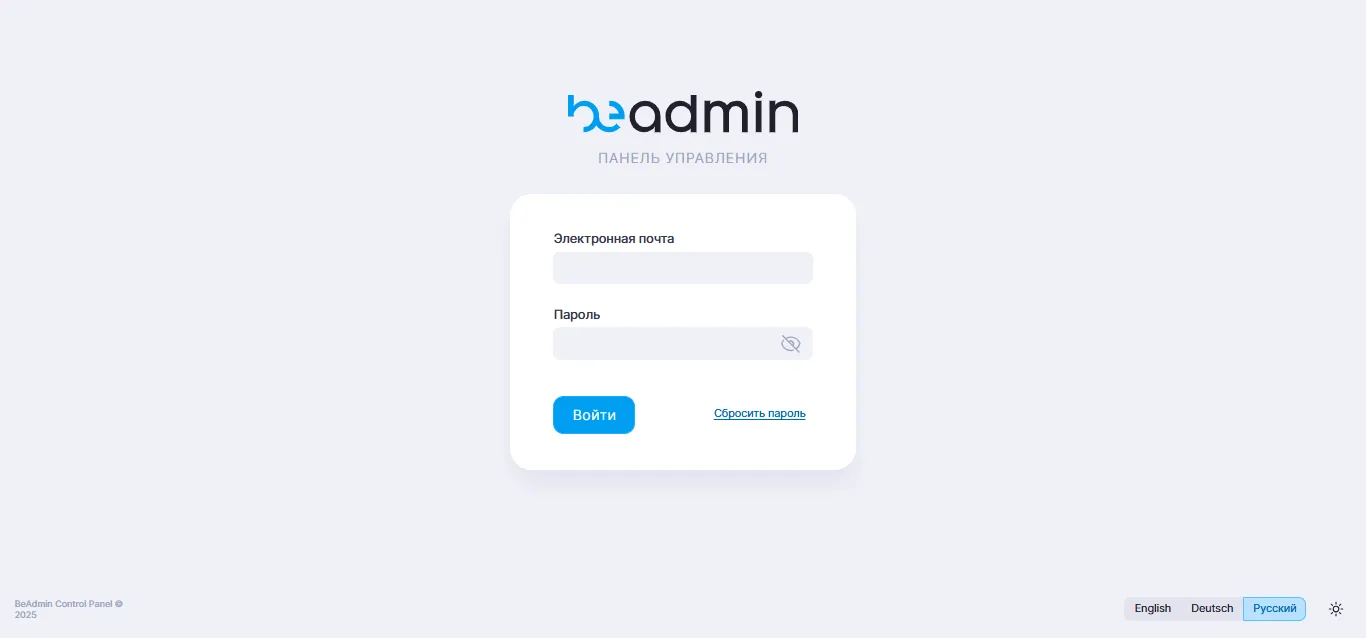 “Reset Password” button on the login page
- Enter the email address of the user whose password needs to be reset.
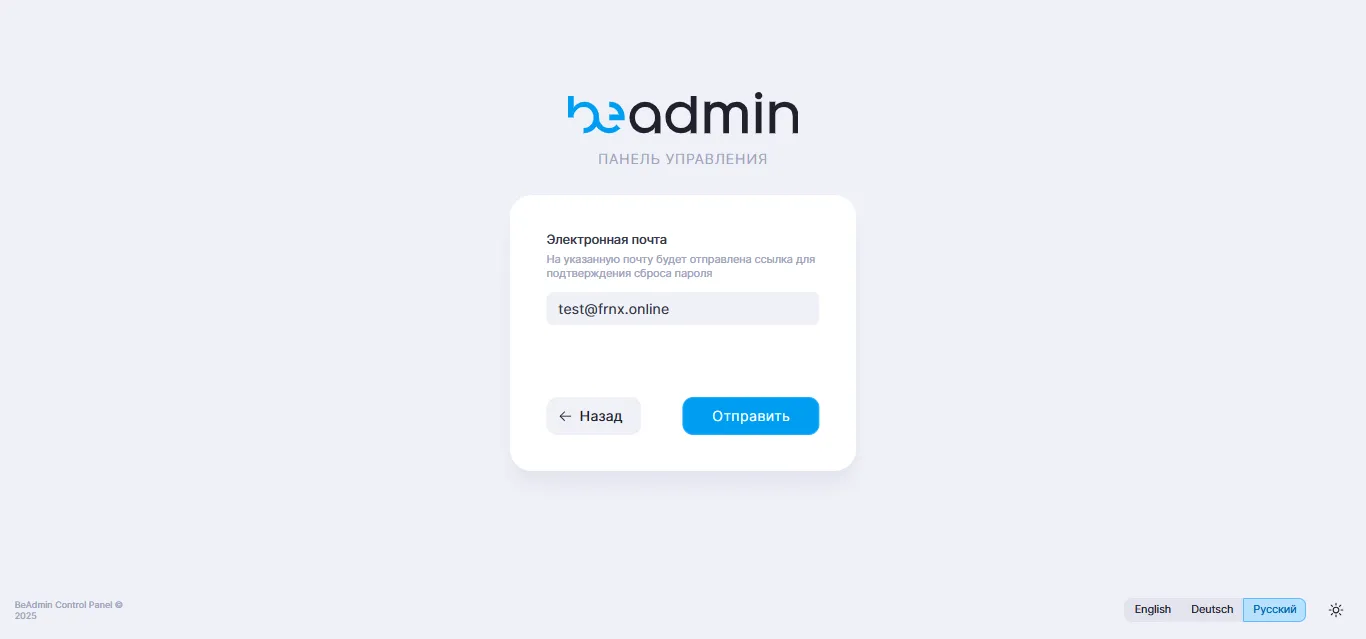 Email input form for password reset
- A password reset link will be sent to the specified email.
- Follow the link and set a new password.
Method 2: Reset via Server Terminal (if SMTP relay is not configured)
Connect to the server via SSH. More details: Connecting to VPS or dedicated server via SSH on Windows.
User data in BeAdmin is stored in an SQLite database at:
/var/lib/beadmin/data.sqlite
- Install the sqlite3 utility (if not already installed):
apt update
apt install sqlite3 -y
- Generate a hash for the new password (replace
Newpasswith your desired password):
python3 - <<'EOF'
import bcrypt
pw = b"Newpass"
print(bcrypt.hashpw(pw, bcrypt.gensalt()).decode())
EOF
Example output (your hash will be different):
$2b$12$dM8jH35tJjVgF5os8dvn4.ujXA8cNe8KKFz5/ZdJx4xiWtVX/GS6y
Copy this hash.
- Connect to the database:
sqlite3 /var/lib/beadmin/data.sqlite
- Run the update query (replace the hash and email with your own):
UPDATE users
SET password='$2b$12$dM8jH35tJjVgF5os8dvn4.ujXA8cNe8KKFz5/ZdJx4xiWtVX/GS6y'
WHERE email='user@example.com';
- Exit sqlite3:
.exit
Useful Notes
- After resetting the password via terminal, it’s recommended to change it again in the panel interface to something more convenient.
- If you’re unsure of the user’s email — check it in the database:
SELECT email FROM users;.
Help
If you have any questions or need assistance, please contact us through the ticket system — we're always here to help!