Upgrading MySQL to 8.0 on Ubuntu 18.04
Step-by-step guide to switching MySQL versions on your server.
Ubuntu 18.04 ships with MySQL 5.7 by default. If you need to move to MySQL 8.0 — for better performance, JSON support, or any other reason — here's how to do it cleanly.
Confirm your current version first:
mysqladmin -u root -p versionServer version: 5.7.30-0ubuntu0.18.04.1Before you start
Take a full backup of your databases. Upgrading MySQL is generally safe, but there's no good reason to skip this step.
Update system packages
sudo apt update
sudo apt upgrade
Download the MySQL APT repository configurator
wget -c https://dev.mysql.com/get/mysql-apt-config_0.8.15-1_all.debVerify the file downloaded correctly:
lsmysql-apt-config_0.8.15-1_all.debInstall the repository configurator
sudo dpkg -i mysql-apt-config*An interactive menu will appear. Make sure MySQL Server & Cluster (Currently selected: mysql-8.0) is selected before confirming.
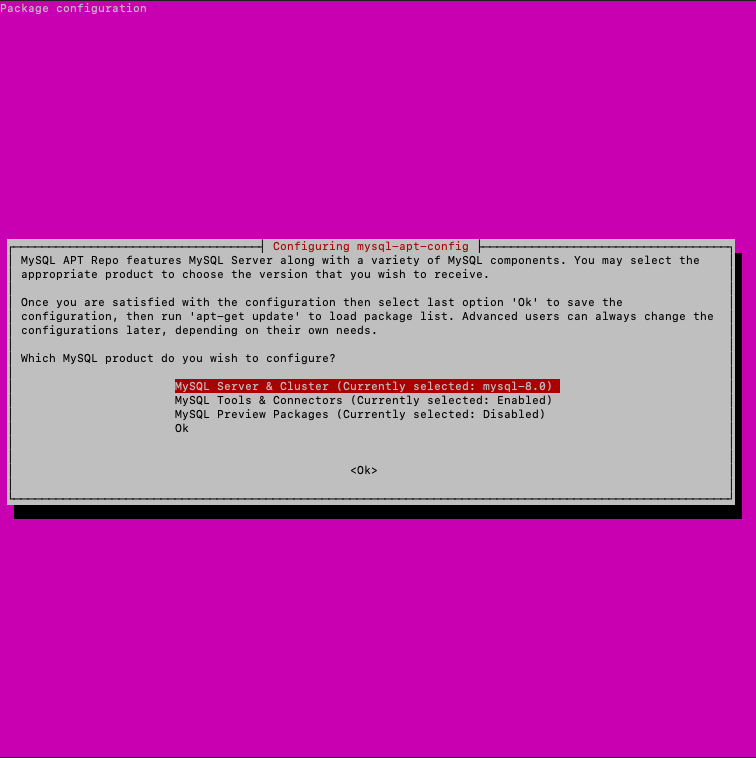 Selecting MySQL 8.0 in the configurator
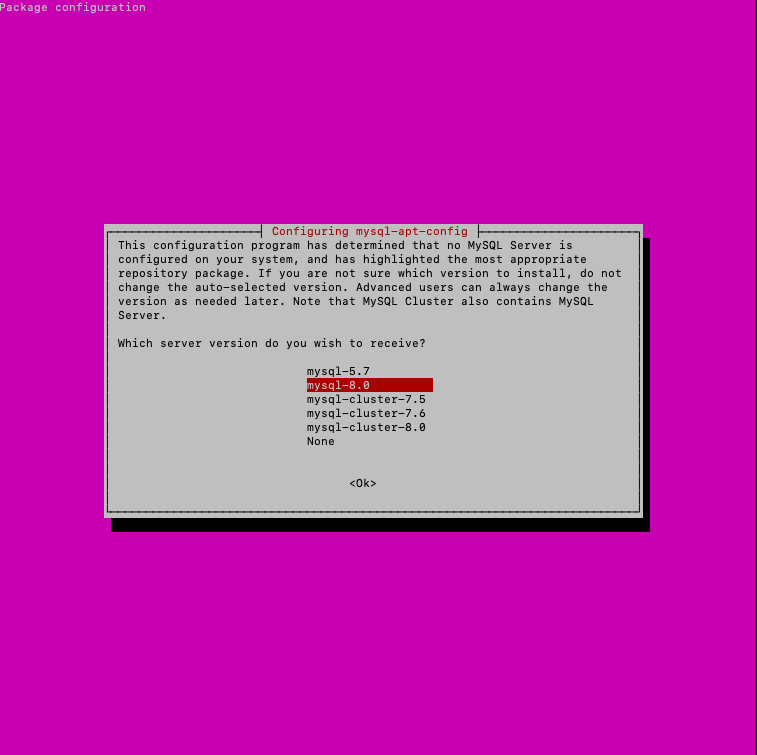 Confirming the version selection
Install MySQL 8.0
Update the package index and install:
sudo apt update
sudo apt upgrade
sudo apt install mysql-server
During installation, you'll be prompted to set a root password for MySQL. Pick something strong.
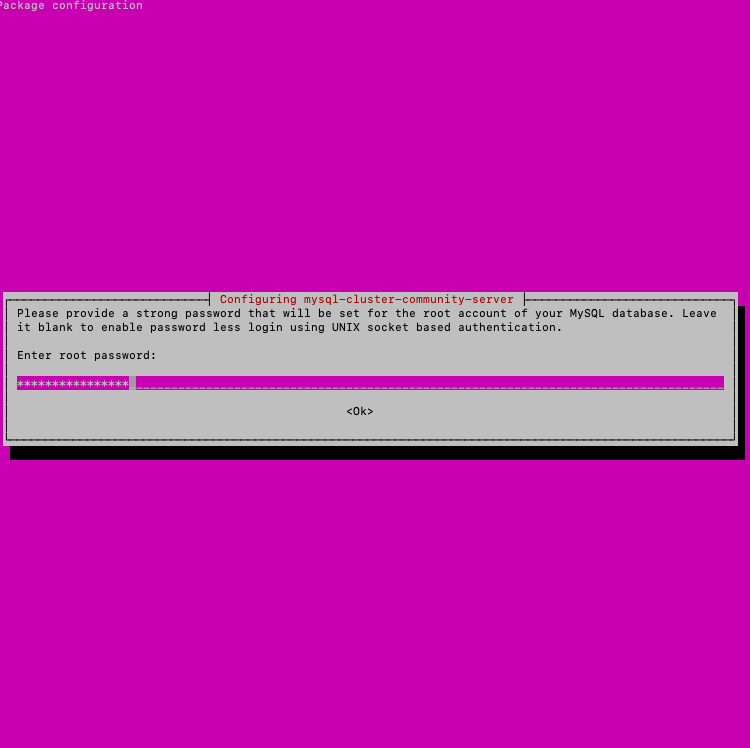 Setting the MySQL root password
Click OK. On the next screen, select Use Strong Password Encryption (Recommended).
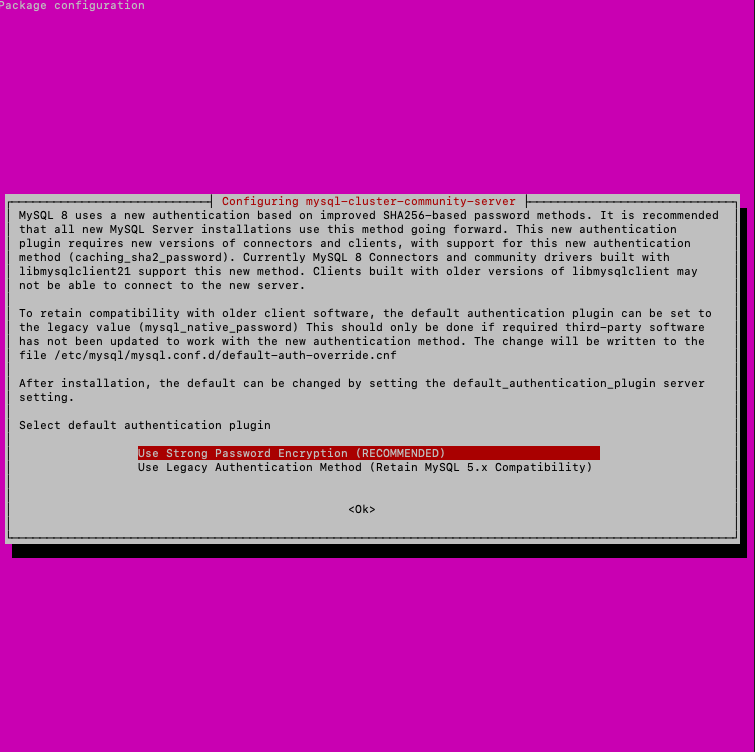 Selecting the password encryption method
Secure the installation
Run the built-in security script:
mysql_secure_installationEnter your MySQL root password, then work through the prompts. Here are the recommended answers:
Would you like to setup VALIDATE PASSWORD component? → N
Change the password for root? → N
Remove anonymous users? → Y
Disallow root login remotely? → Y
Remove test database and access to it? → Y
Reload privilege tables now? → Y
Verify the installation
Check that MySQL is running:
systemctl status mysql● mysql.service - MySQL Community Server
Active: active (running)
Status: "Server is operational"Confirm the version:
mysqladmin -u root -p versionServer version: 8.0.20MySQL has been successfully upgraded to 8.0.
If something went wrong
If the installation failed partway through and you want to start fresh, run these commands to wipe everything cleanly:
sudo -i
service mysql stop
killall -KILL mysql mysqld_safe mysqld
apt-get --yes purge mysql-server mysql-client
apt-get --yes autoremove --purge
apt-get autoclean
deluser --remove-home mysql
delgroup mysql
rm -rf /etc/apparmor.d/abstractions/mysql \
       /etc/apparmor.d/cache/usr.sbin.mysqld \
       /etc/mysql \
       /var/lib/mysql \
       /var/log/mysql* \
       /var/log/upstart/mysql.log* \
       /var/run/mysqld
updatedb
exit
Once that's done, you can start the installation process from the top.
Help
If you have any questions or need assistance, please contact us through the ticket system — we're always here to help!