Sitemaps and sitemap.xml
What an XML sitemap is and how to put one together properly.
A sitemap is a file that lists the pages on your website and helps search engines crawl and index your content more effectively. Think of it as a table of contents — it shows the structure of your site and the relationships between pages.
 Sitemap structure
An XML sitemap is a structured file that tells search engine bots exactly which pages exist on your site and are available for crawling. Don't confuse it with a user-facing HTML sitemap at something like http://example.com/sitemap/ — they serve very different purposes.
An XML sitemap tells search engines:
- Where your pages are located
- When each page was last updated
- How frequently pages are likely to change
- How important each page is relative to the rest of the site
XML file structure
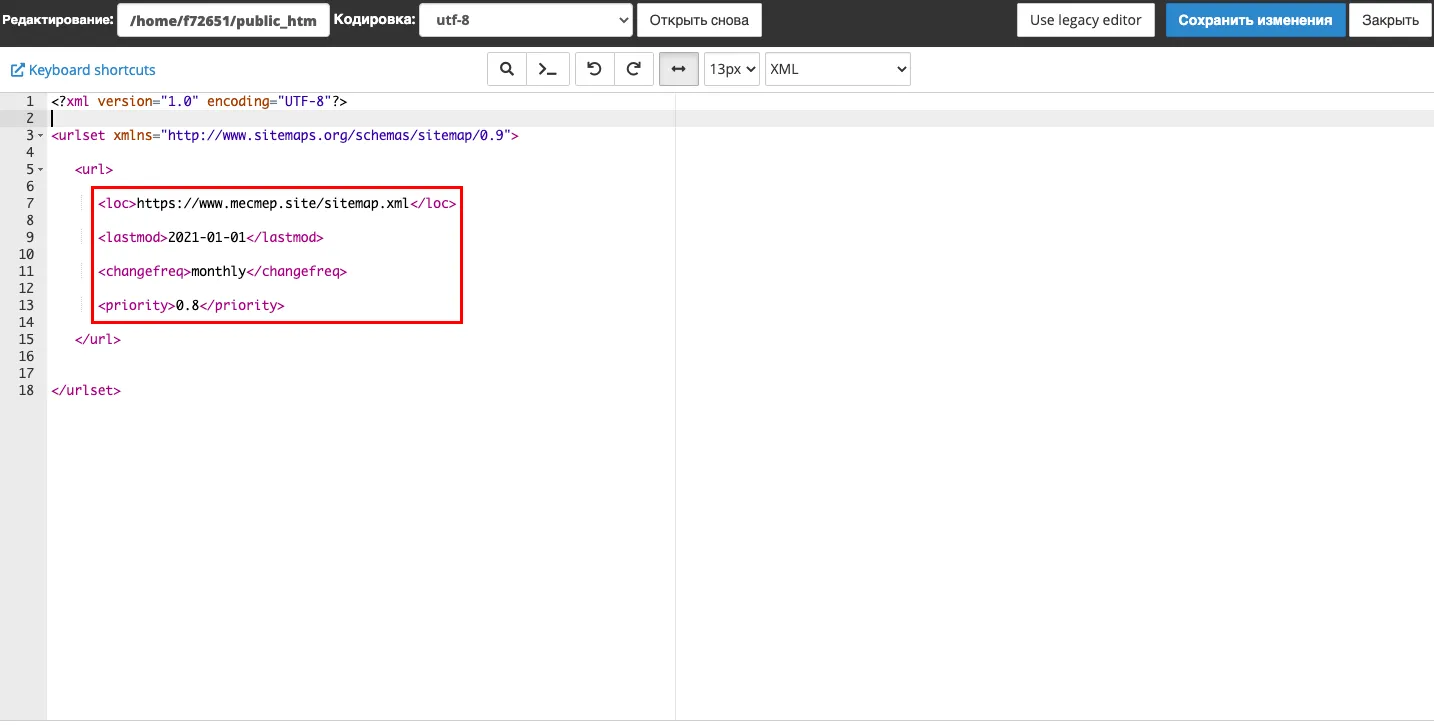
Example:
<?xml version="1.0" encoding="UTF-8"?>
<urlset xmlns="http://www.sitemaps.org/schemas/sitemap/0.9">
   <url>
      <loc>http://www.example.com/</loc>
      <lastmod>2021-01-01</lastmod>
      <changefreq>monthly</changefreq>
      <priority>0.8</priority>
   </url>
</urlset>
Tag reference:
urlset— the root element that wraps the entire file; requiredsitemapindex— the parent tag used when you have multiple sitemap files and need an index filesitemap— a child ofsitemapindex; contains a reference to one sitemap fileurl— a container block for a single page entryloc— the full URL of the pagelastmod— the date the page content was last modified (optional; for mostly static sites,changefreqalone is often enough)changefreq— a hint about how often the page changes. Accepted values:always,hourly,daily,weekly,monthly,yearly,neverpriority— the page's relative importance within your site, on a scale from0.0to1.0(e.g.0.8for important pages,0.5as a neutral default)
 XML sitemap structure
How to submit your sitemap
- Place the file in your site's root directory:
http://example.com/sitemap.xml - If you have multiple sitemaps, create an index file that links to all of them
- Reference it in your robots.txt file:
Sitemap: http://example.com/sitemap.xml- Submit the URL in the webmaster tools of each search engine you care about:
Note
Submitting a sitemap doesn't guarantee that every URL in it will be indexed. Search engines use it as a guide, not a mandate.
 Submitting a sitemap in webmaster tools
Yandex requirements
Supported formats:
- XML (recommended)
- Plain text (.txt)
Limits:
- Maximum uncompressed file size: 10 MB
- Punycode is supported in both encoded and Unicode form
Google requirements
Supported formats:
- XML — the standard and recommended format
- RSS, media RSS, and Atom 1.0 — suitable for blogs with an existing feed
- Plain text .txt — UTF-8 encoded, URLs only, nothing else in the file
- Google Sites — sitemap is generated automatically; you can submit it but can't edit it
Limits:
- Up to 50,000 URLs per sitemap file
- Maximum uncompressed file size: 50 MB
- If a subdirectory contains more than 1,000 pages, a Google Sites sitemap may not render correctly
Help
If you have any questions or need assistance, please contact us through the ticket system — we're always here to help!