Adding a PTR record
How to add a PTR record for your server's IP address.
A PTR record (pointer) maps an IP address to a domain name. It's particularly important for outgoing mail servers: most mail systems check the PTR record of the sender's IP address before accepting a message. If the record exists and matches the sender's domain, it's one of the factors that confirm the message is legitimate and help keep it out of spam.
Adding a PTR record
In your order dashboard, go to Settings → IPv4/IPv6 → PTR and click Edit.
Enter the domain name and confirm by clicking the checkmark.
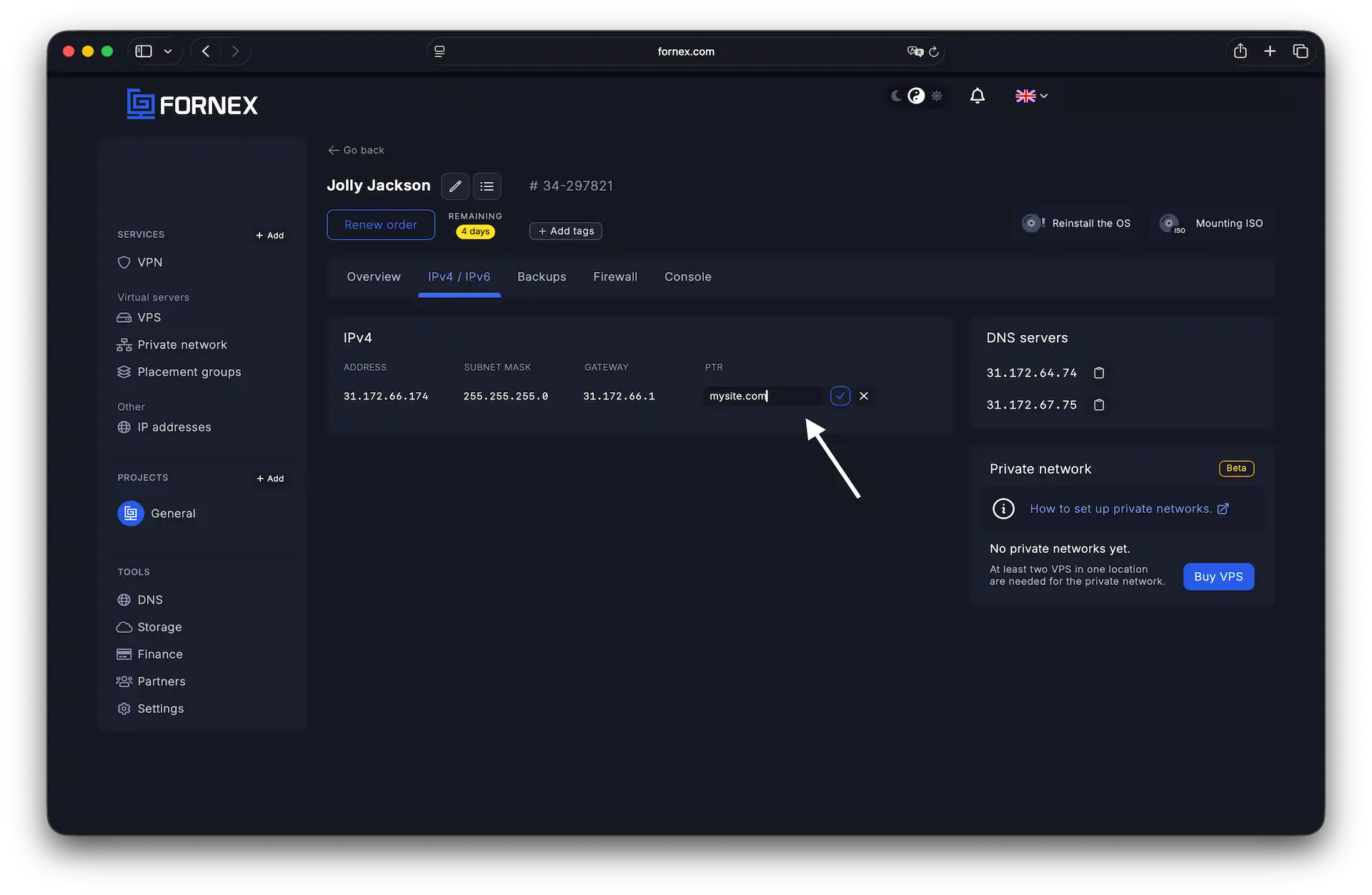 Adding a PTR record
Checking a PTR record
Windows — open the command prompt (Start → Run → cmd) and run:
nslookup -type=PTR ip-addressLinux / macOS — open a terminal and run:
dig -x ip-addressHelp
If you have any questions or need assistance, please contact us through the ticket system — we're always here to help!