Get started with OpenPanel
A step-by-step guide to configuring and navigating the OpenPanel control panel.
OpenPanel is a high-performance, modular control panel designed to streamline VPS administration. It offers an intuitive graphical interface for managing websites, Docker containers, and databases, eliminating the need for extensive Linux command-line knowledge.
Quick start
- Log in to the OpenPanel interface on your VPS using the credentials found in your Fornex dashboard.
- The main Dashboard provides a real-time overview of your server's health, including CPU load, Memory usage, Disk Storage, and Network I/O.
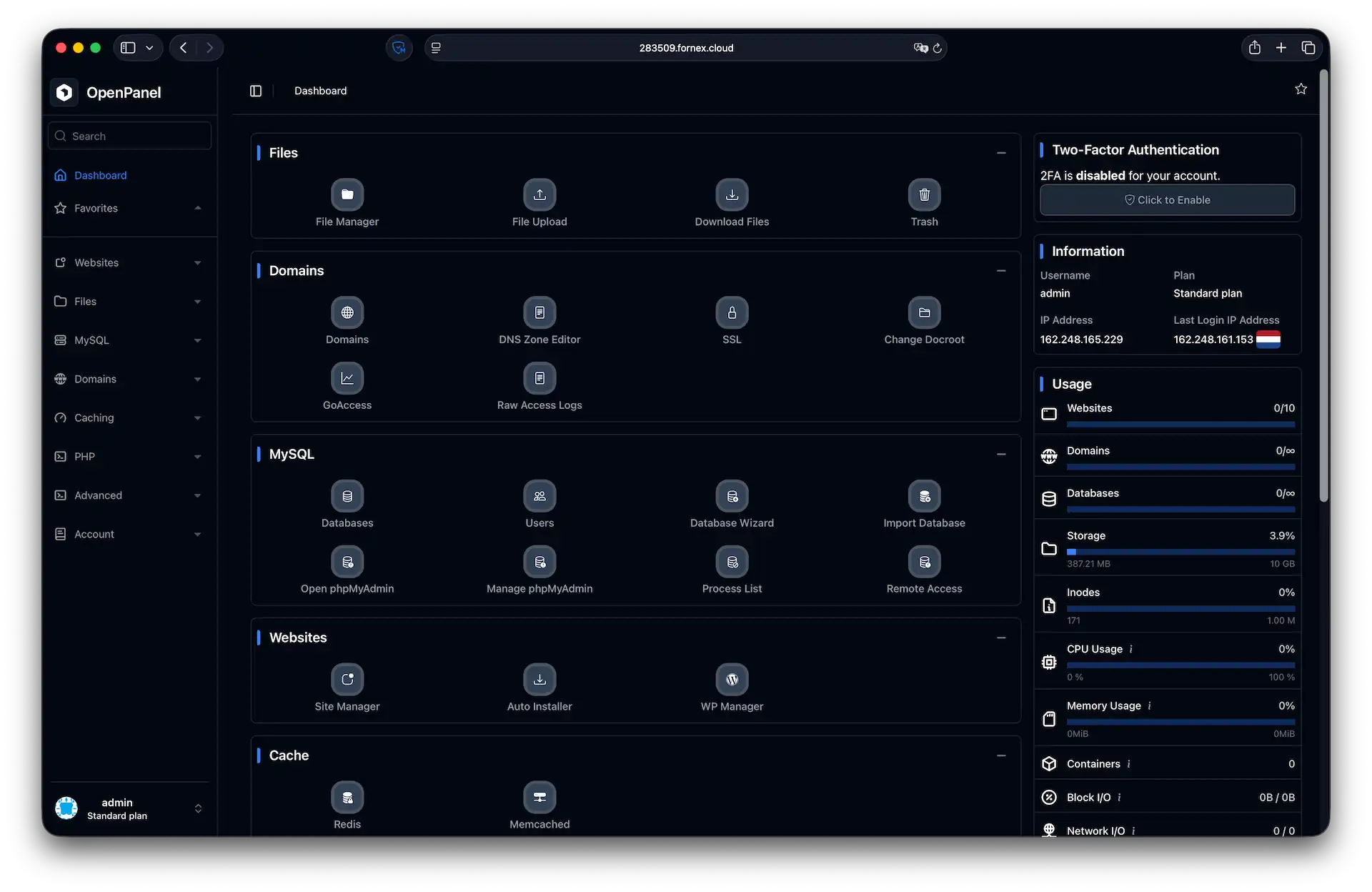 The OpenPanel dashboard
Don't have a VPS yet?
Fornex offers VPS hosting with full root access, 24/7 support, and DDoS protection. Get a stable server with NVMe disks for fast and reliable operation. Find more details on the Fornex VPS page.
Manage domains and websites
Core web operations are centralized within the Domains and Websites sections:
- Domains: Add new domain names and manage records via the built-in DNS Zone Editor.
- SSL: Issue and automatically renew free Let’s Encrypt certificates to secure your traffic.
- Site Manager: Your central hub for modifying specific website settings and configurations.
- WordPress Manager: A dedicated toolkit for one-click installations and specialized WordPress management.
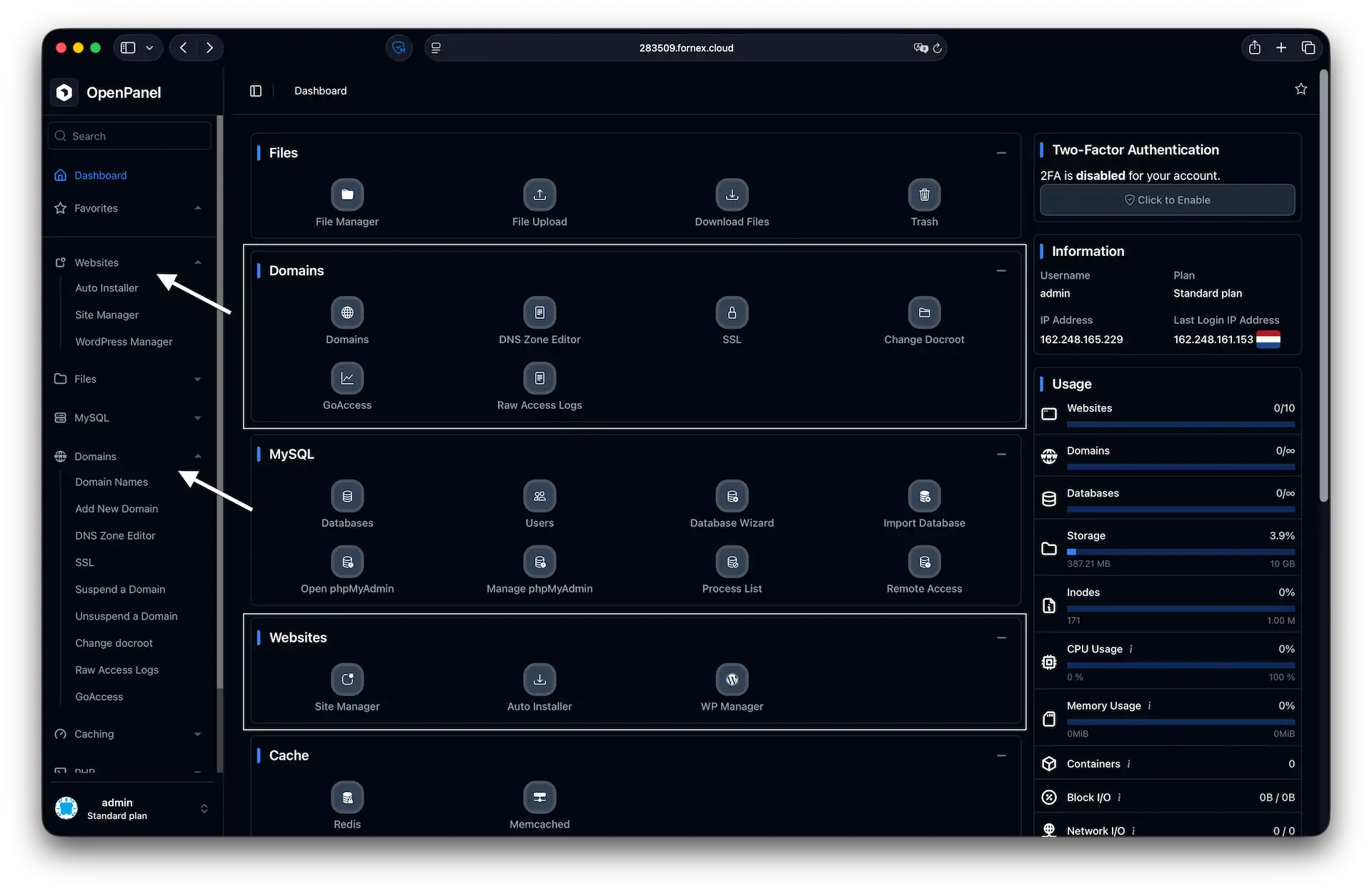 Domain and website management in OpenPanel
Database management (MySQL)
The MySQL block contains everything you need to manage your data layer:
- Databases: Create new databases or browse your existing ones.
- Users: Manage database users, set passwords, and define access privileges.
- Open phpMyAdmin: Access the web interface for direct database and table manipulation.
- Database Wizard: A step-by-step assistant that simplifies the process of creating a database and linking it to a user.
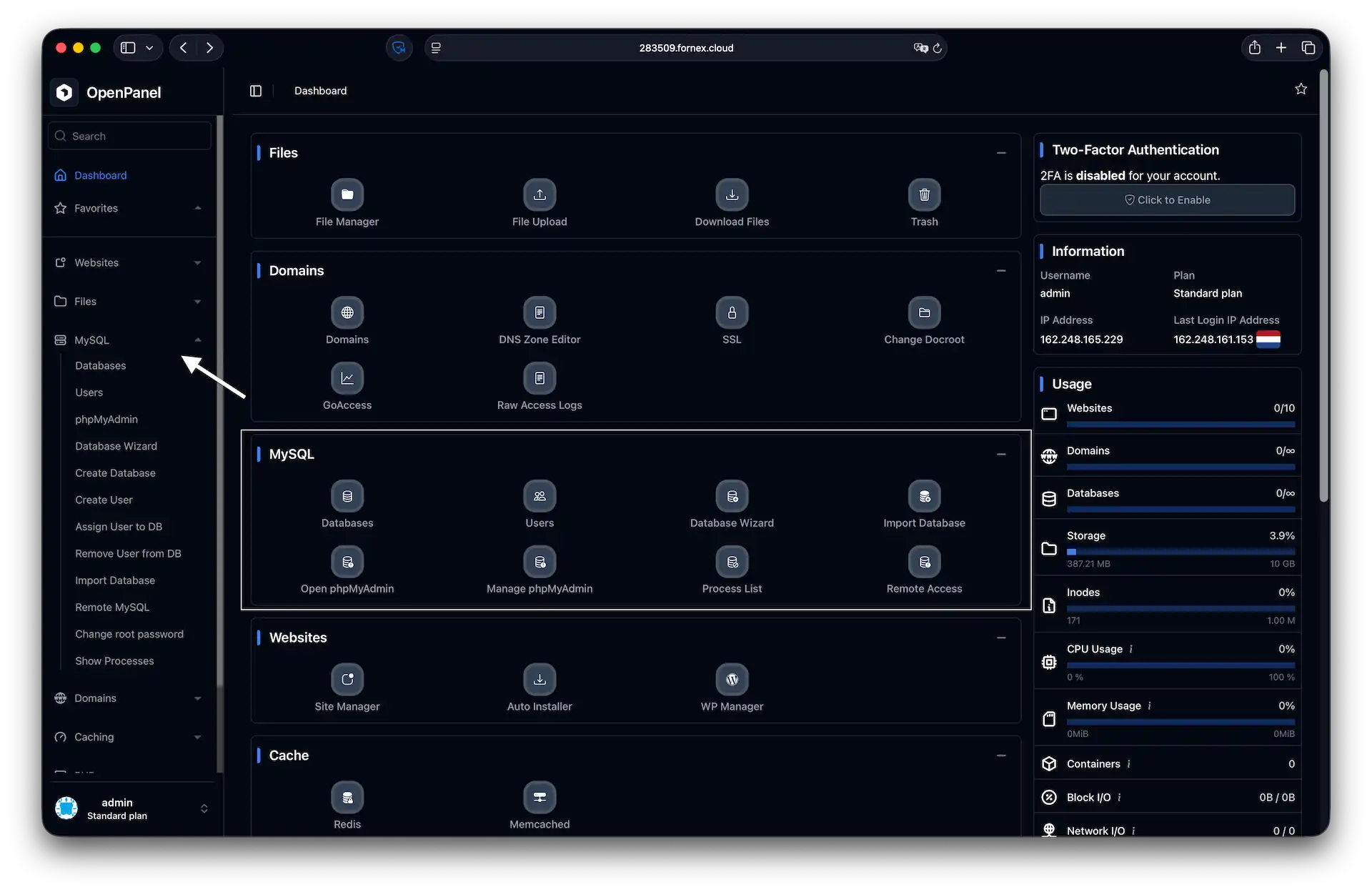 Managing MySQL databases in OpenPanel
Files and caching
OpenPanel includes built-in modules to simplify content management and boost site performance:
- File Manager: A full-featured, browser-based editor to upload, download, and modify code on the fly.
- Cache: Dedicated tabs for managing Redis and Memcached, significantly reducing server load for PHP-heavy applications.
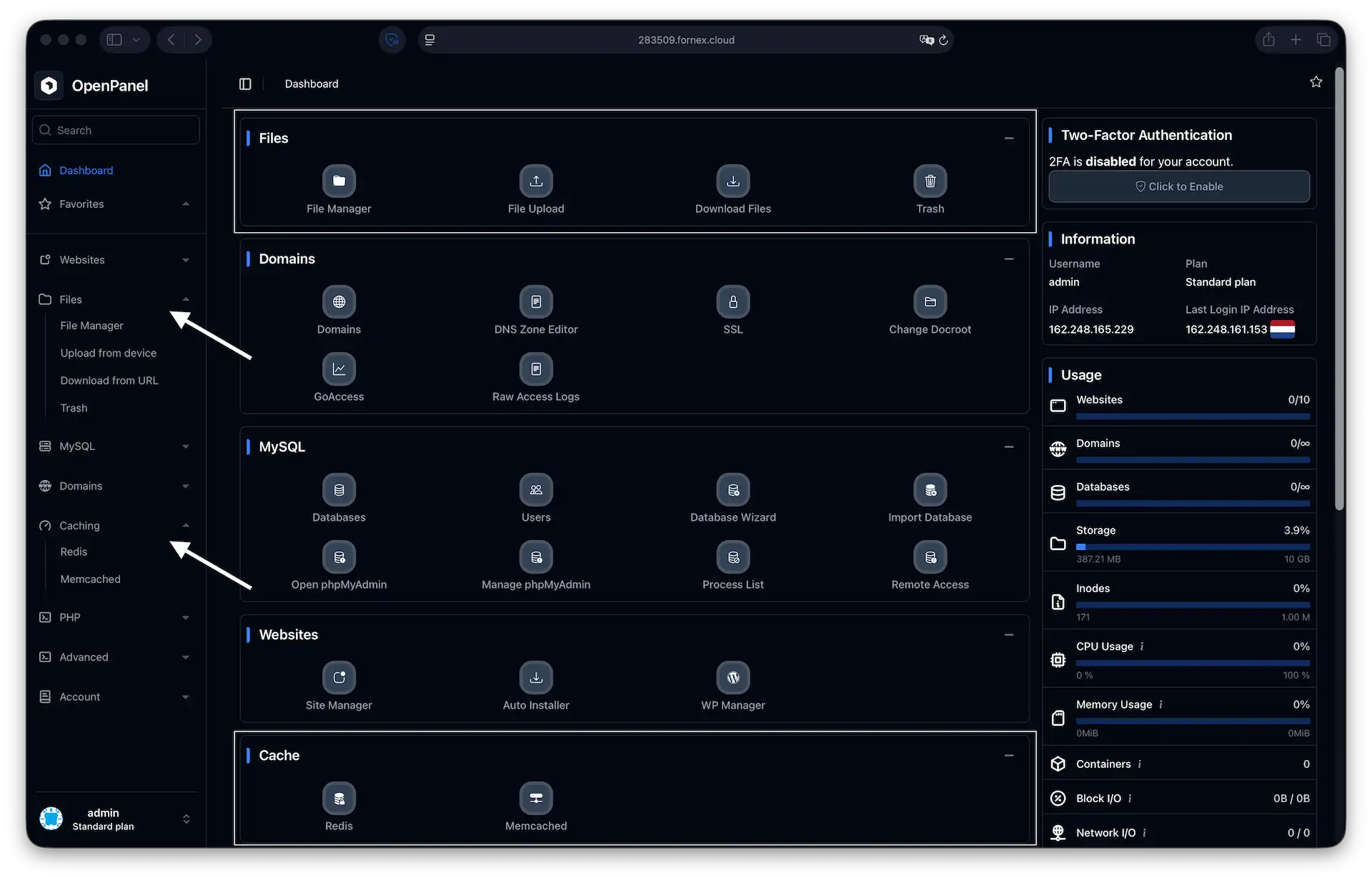 Files and caching in OpenPanel
Security and advanced settings
OpenPanel prioritizes account protection and environment flexibility:
- Two-Factor Authentication (2FA): We strongly recommend enabling 2FA (located on the right side of the dashboard) to secure your account against unauthorized access.
- PHP: Use the sidebar menu to select your preferred PHP version and fine-tune parameters like memory limits and execution timeouts.
- Containers: A dedicated section to monitor active Docker containers and track their individual performance metrics.
Help
If you have any questions or need assistance, please contact us through the ticket system — we're always here to help!