DKIM and SPF on Web Hosting
How to set up email authentication for your domain.
DKIM (DomainKeys Identified Mail) adds a cryptographic signature to every outgoing email, so the receiving server can verify it really came from your domain and wasn’t modified along the way.
SPF (Sender Policy Framework) defines which servers are allowed to send email on behalf of your domain. It’s configured as a TXT record in your DNS zone.
Together, DKIM and SPF improve deliverability and help prevent email spoofing.
If the domain hasn’t been added to DNS yet
The easiest option is to let the system handle everything automatically.
Add your domain via the service dashboard:
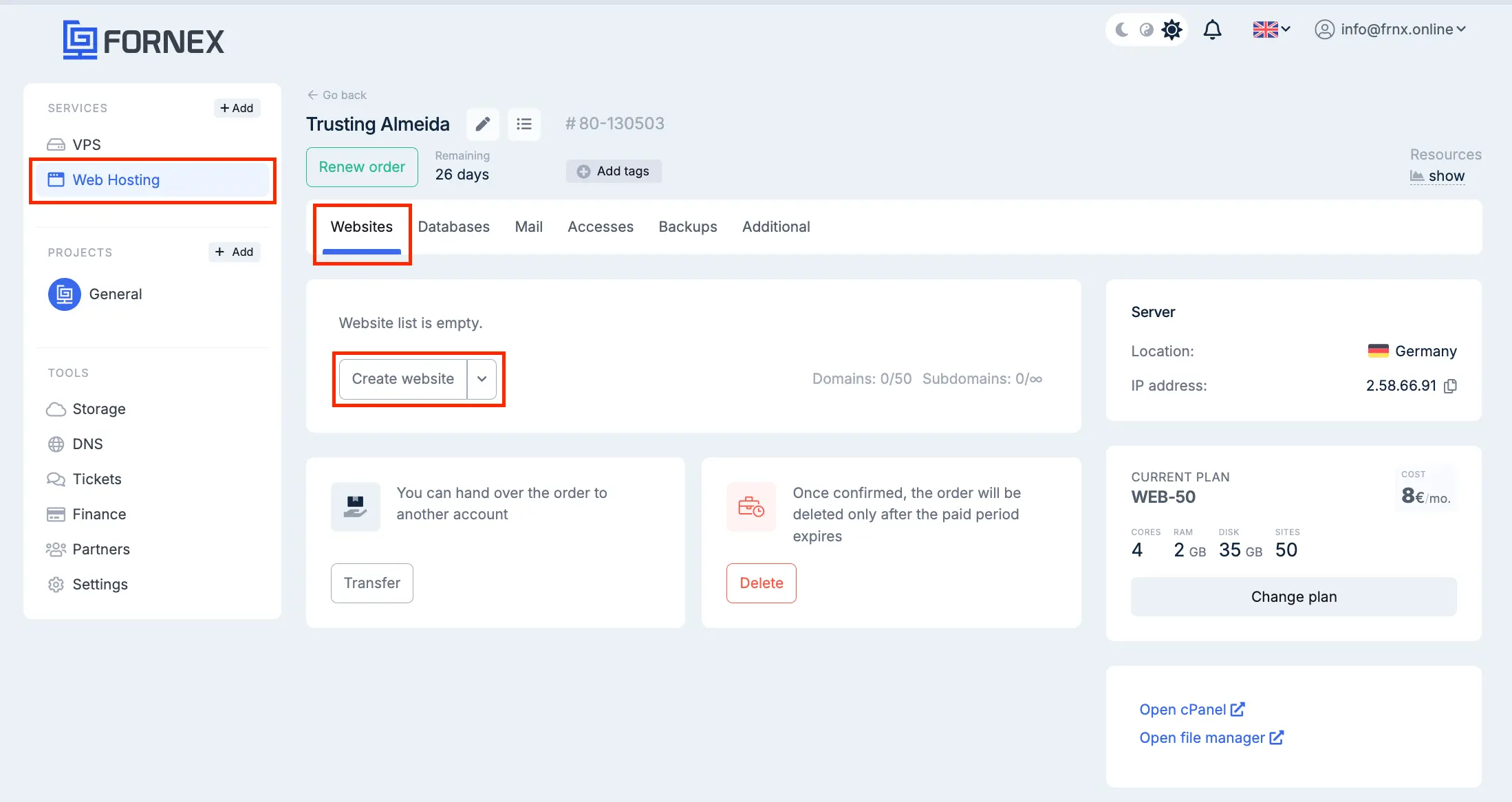 Add domain
During setup, select Direct to our NS servers.
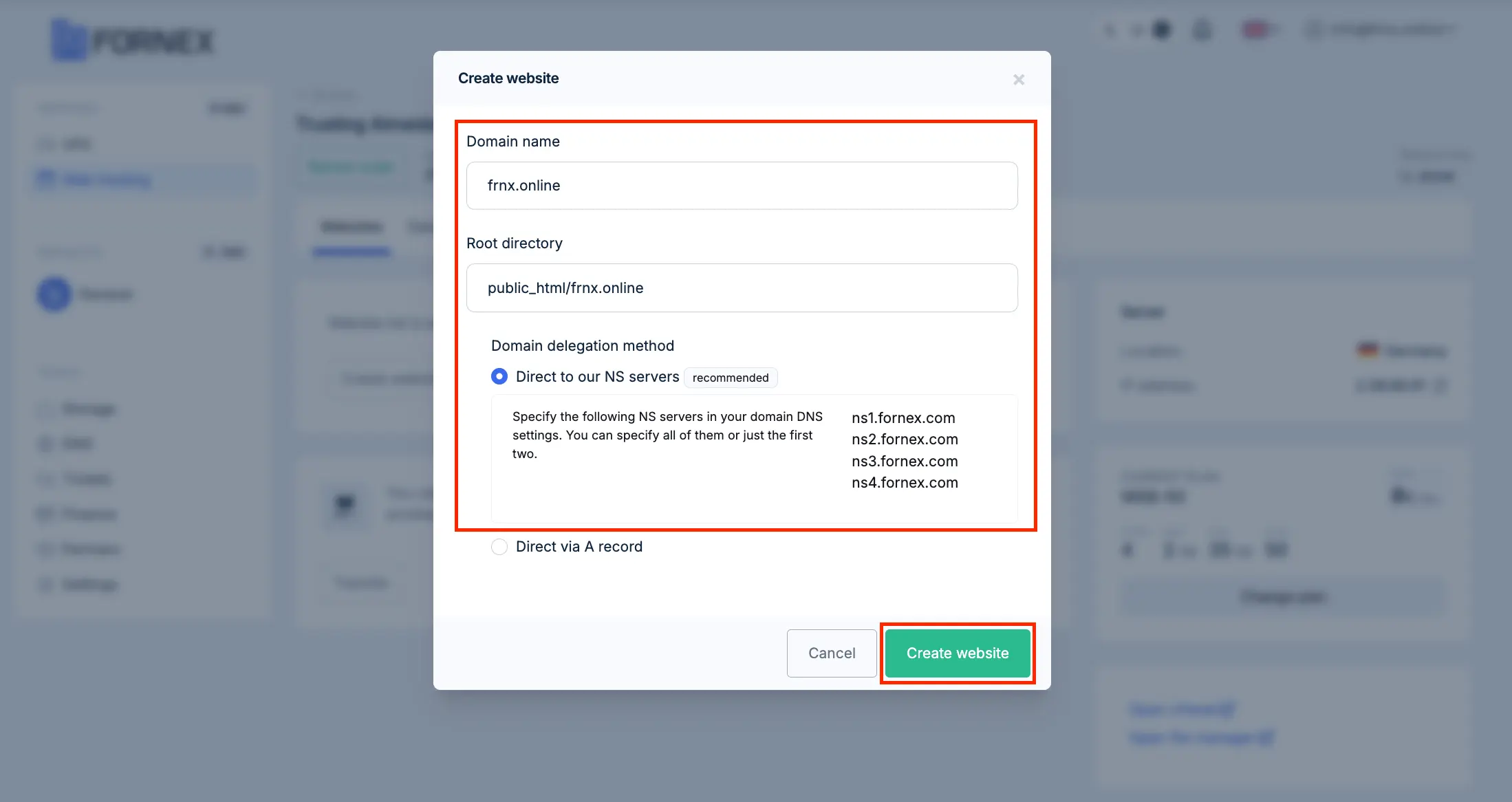 Select NS servers
If the domain hasn’t been added to the DNS panel before, DKIM and SPF records will be created automatically.
If the domain is already in the DNS panel
If your domain is already configured in the DNS panel, you’ll need to add the records manually.
Open Sites and launch cPanel:
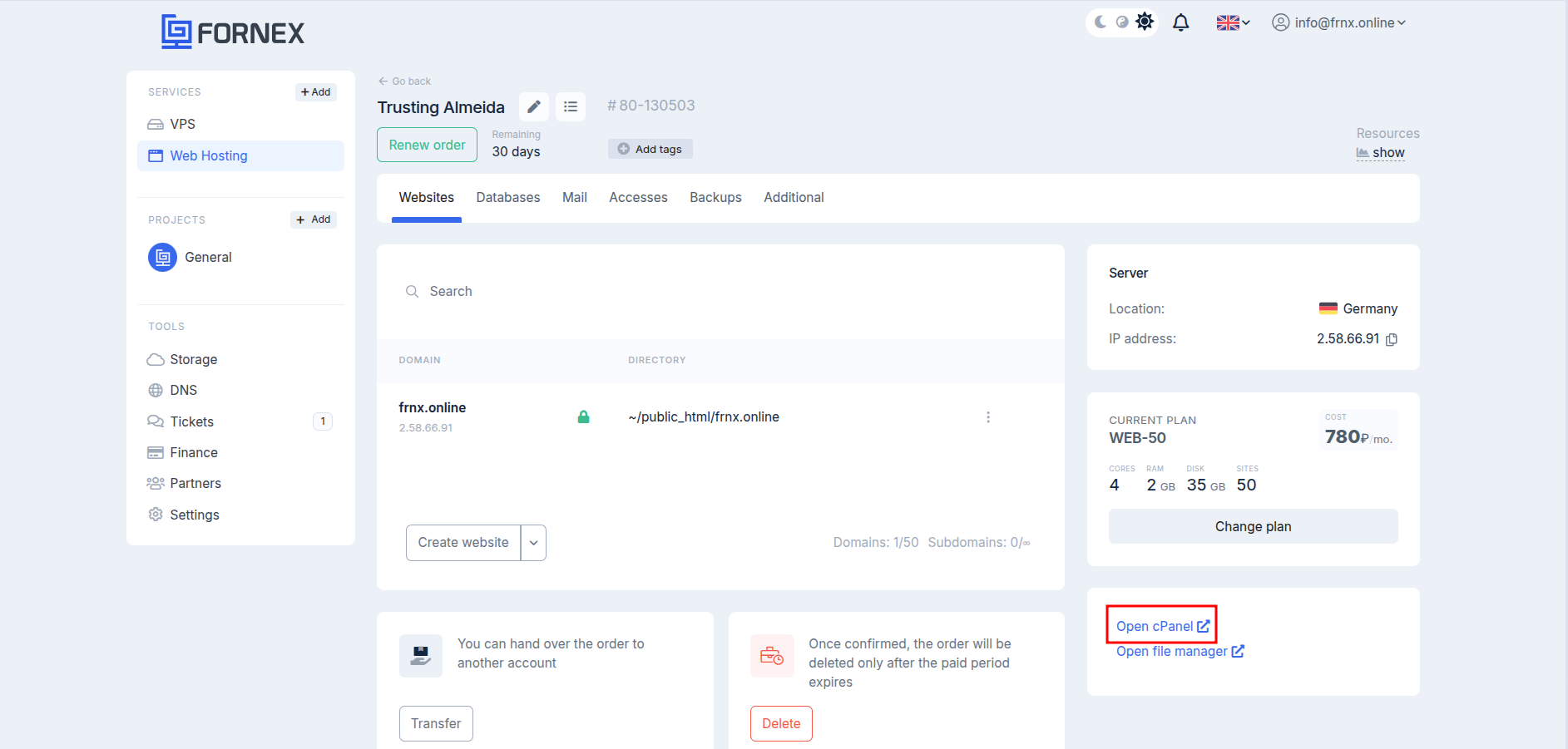 Open cPanel
Go to Email Deliverability:
 Email Deliverability
Find your domain and click Manage:
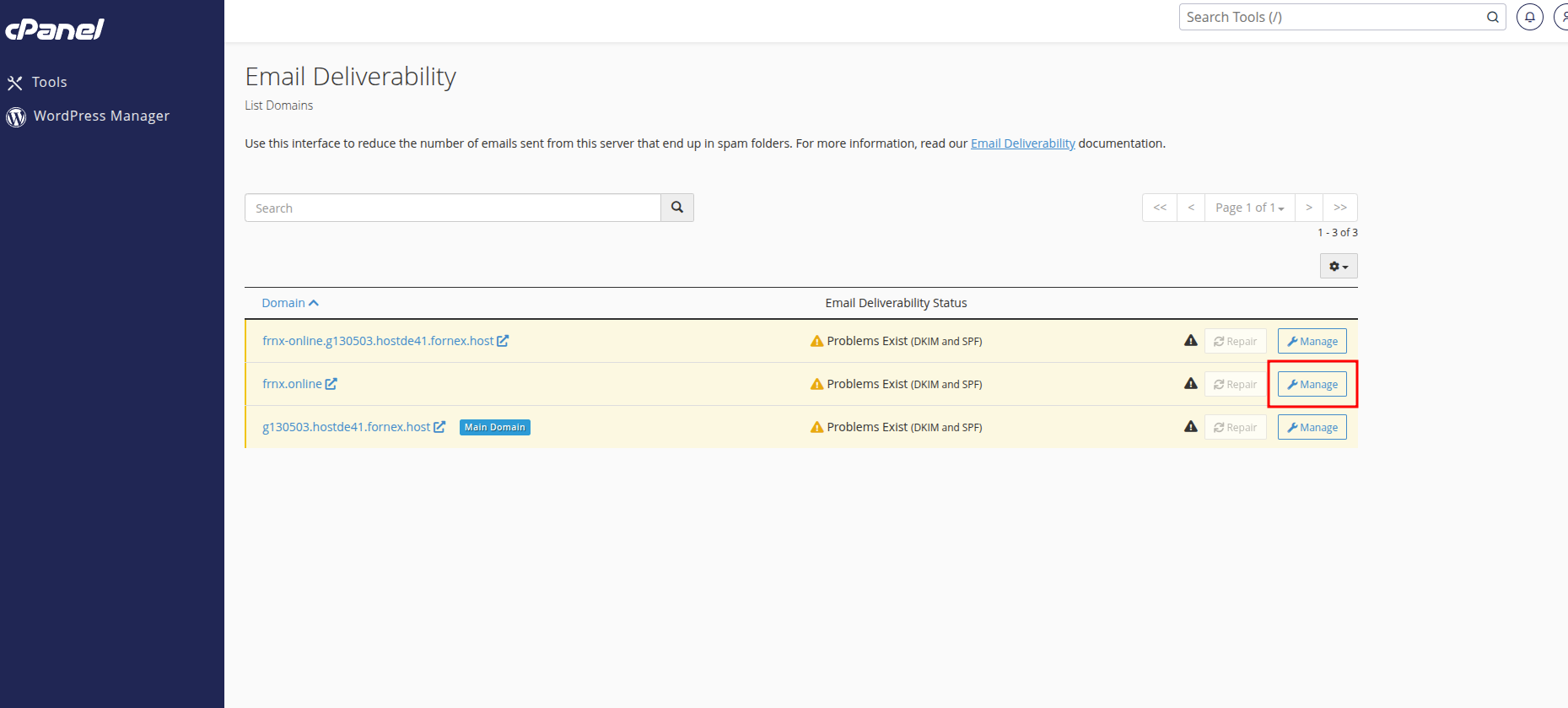 Manage domain
In the DKIM section, copy the Name and Value fields:
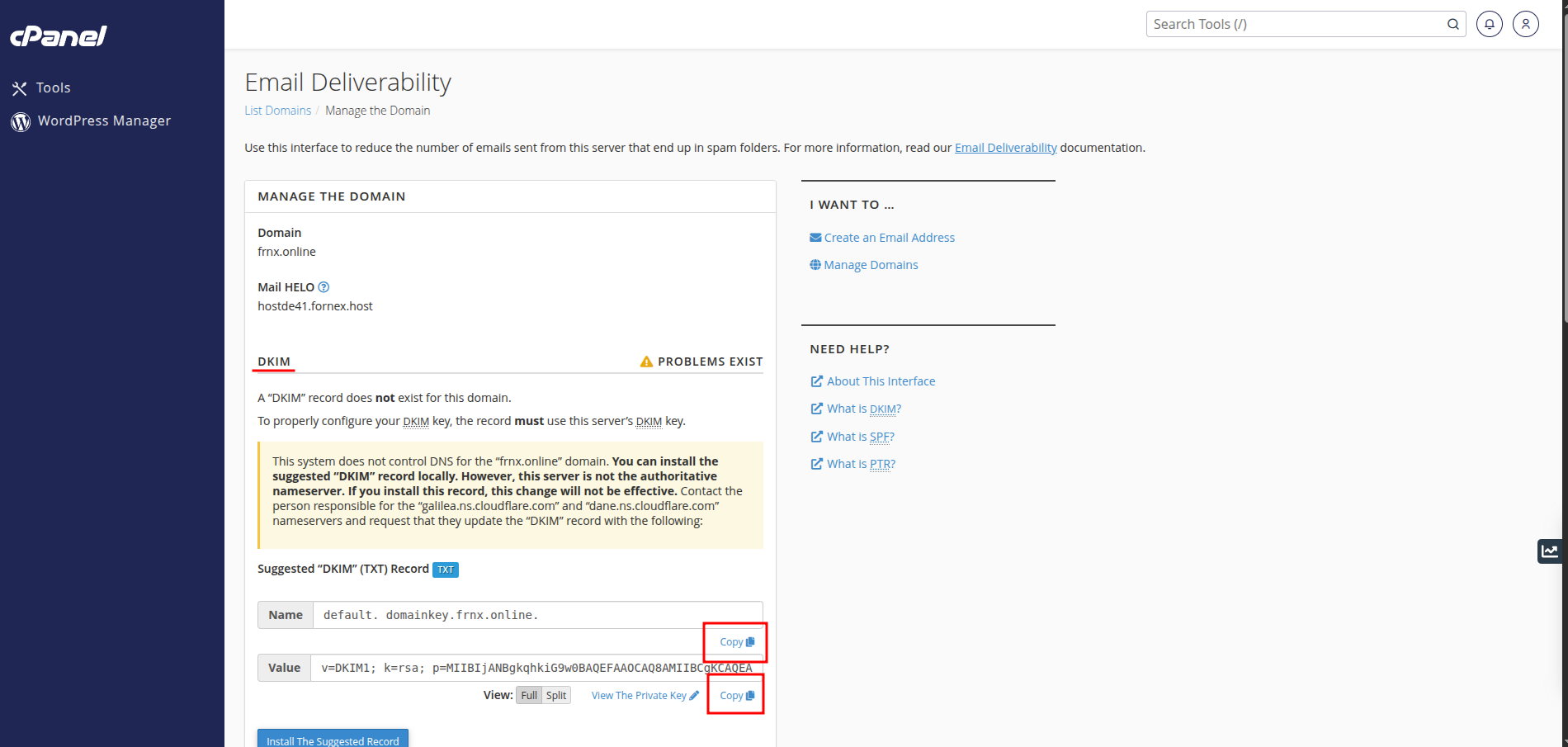 DKIM details
Now switch to the DNS section, select your domain, and create a new TXT record using those values.
Do the same for the SPF record:
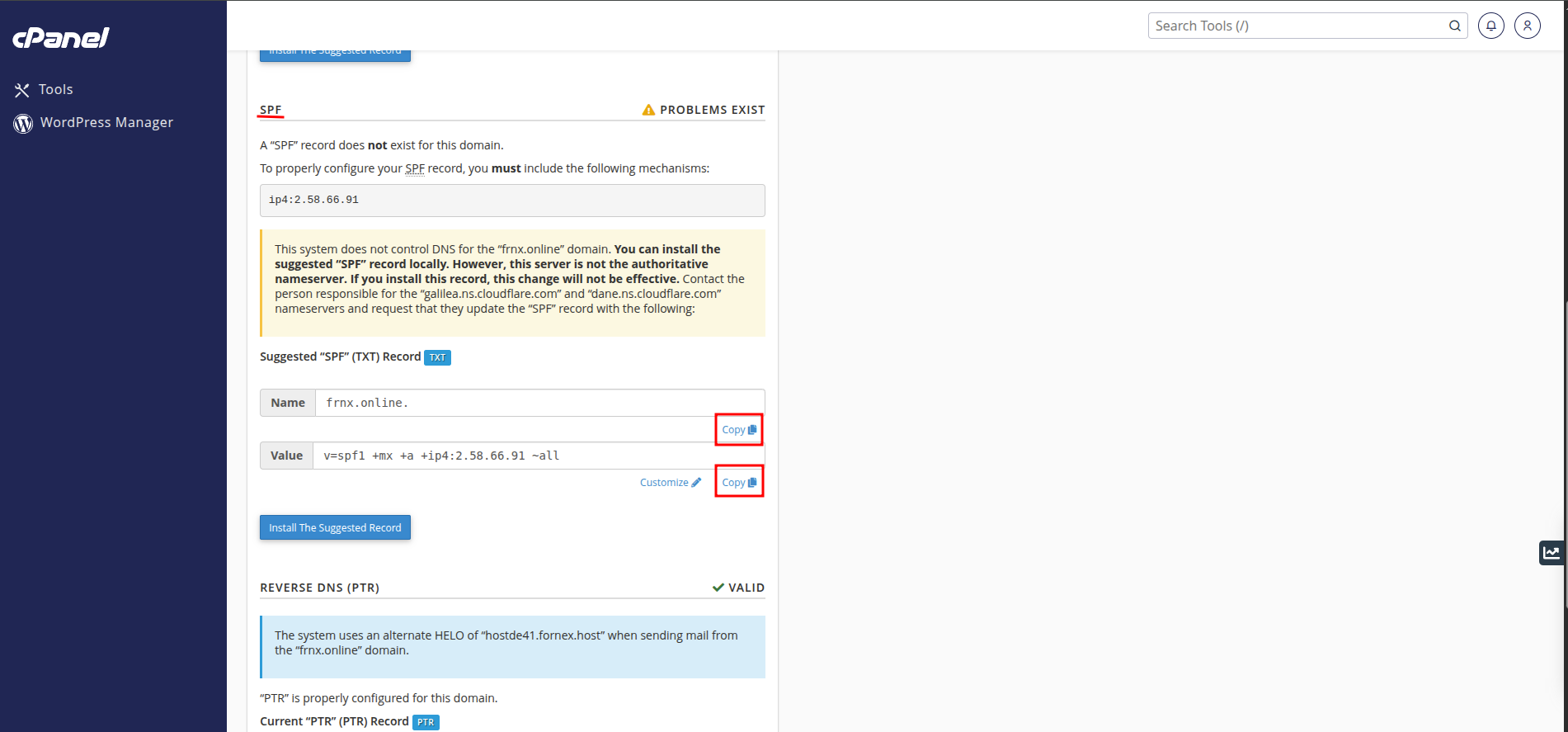 SPF details
Add it as a TXT record and save your changes:
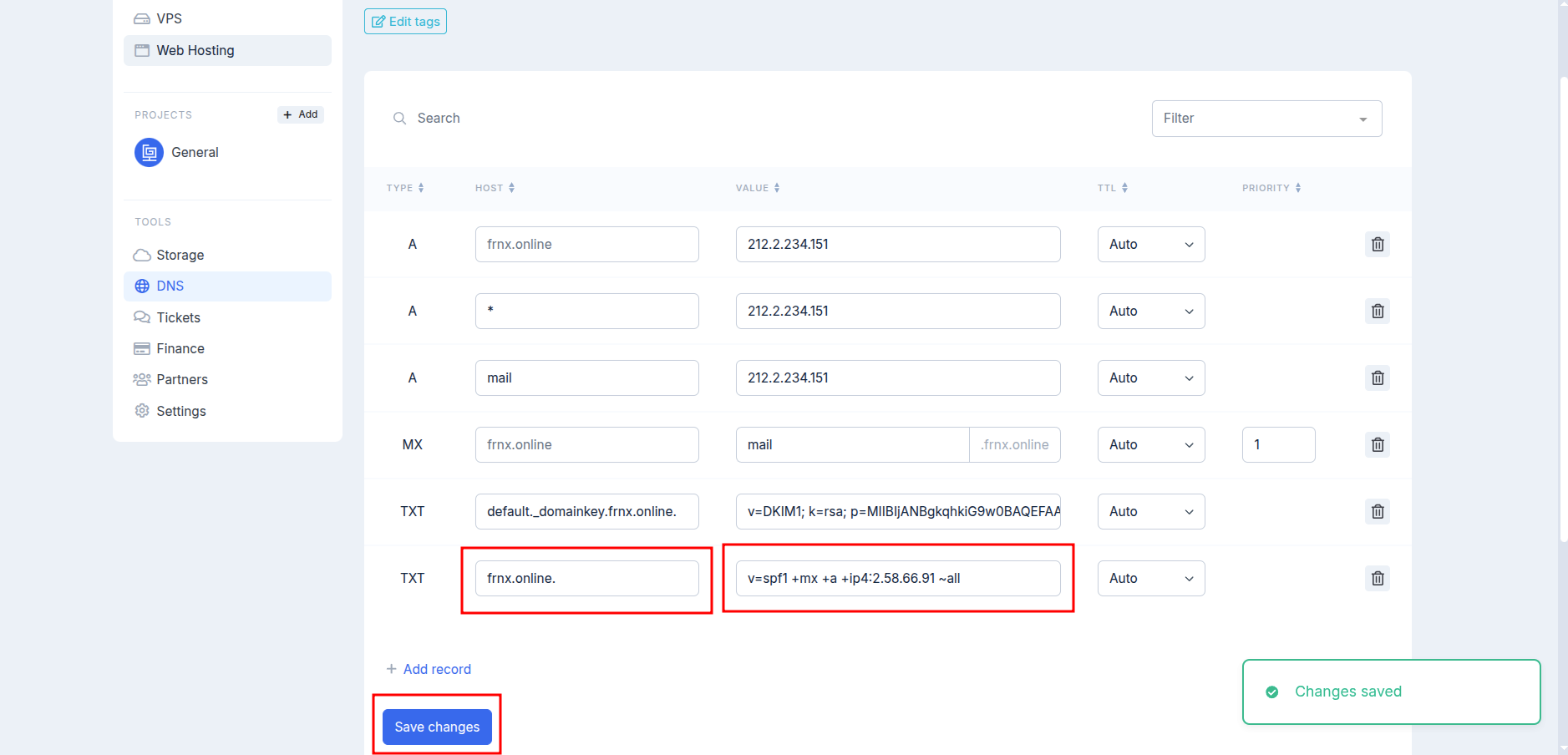 Add SPF record
That’s it — both records are now in place.
Useful notes
- Only one SPF record is allowed per domain. If one already exists, merge values instead of adding another record.
- DNS changes don’t apply instantly — propagation can take up to 72 hours.
- SPF is sensitive to syntax. Even a small mistake can break email delivery.
- DKIM records must be copied exactly as shown — extra spaces or line breaks will invalidate the signature.
Help
If you have any questions or need assistance, please contact us through the ticket system — we're always here to help!