Automating tasks with Cron in Hestia CP
How to use the Hestia CP scheduler to run scripts and commands automatically on your server.
Hestia CP is one of the most popular and user-friendly hosting control panels around. It covers everything from managing websites, email, and databases to SSL certificates, file management, and task scheduling — all from a clean, straightforward interface.
The built-in Cron scheduler lets you run commands or scripts automatically on a repeating schedule — without any manual intervention. A cron job is simply a command or a full path to a script that Hestia will execute at whatever interval you define.
Adding a Cron job
- Go to the Cron section in the main menu.
- Click
Add Cron Job, then set your schedule and enter the command you want to run.
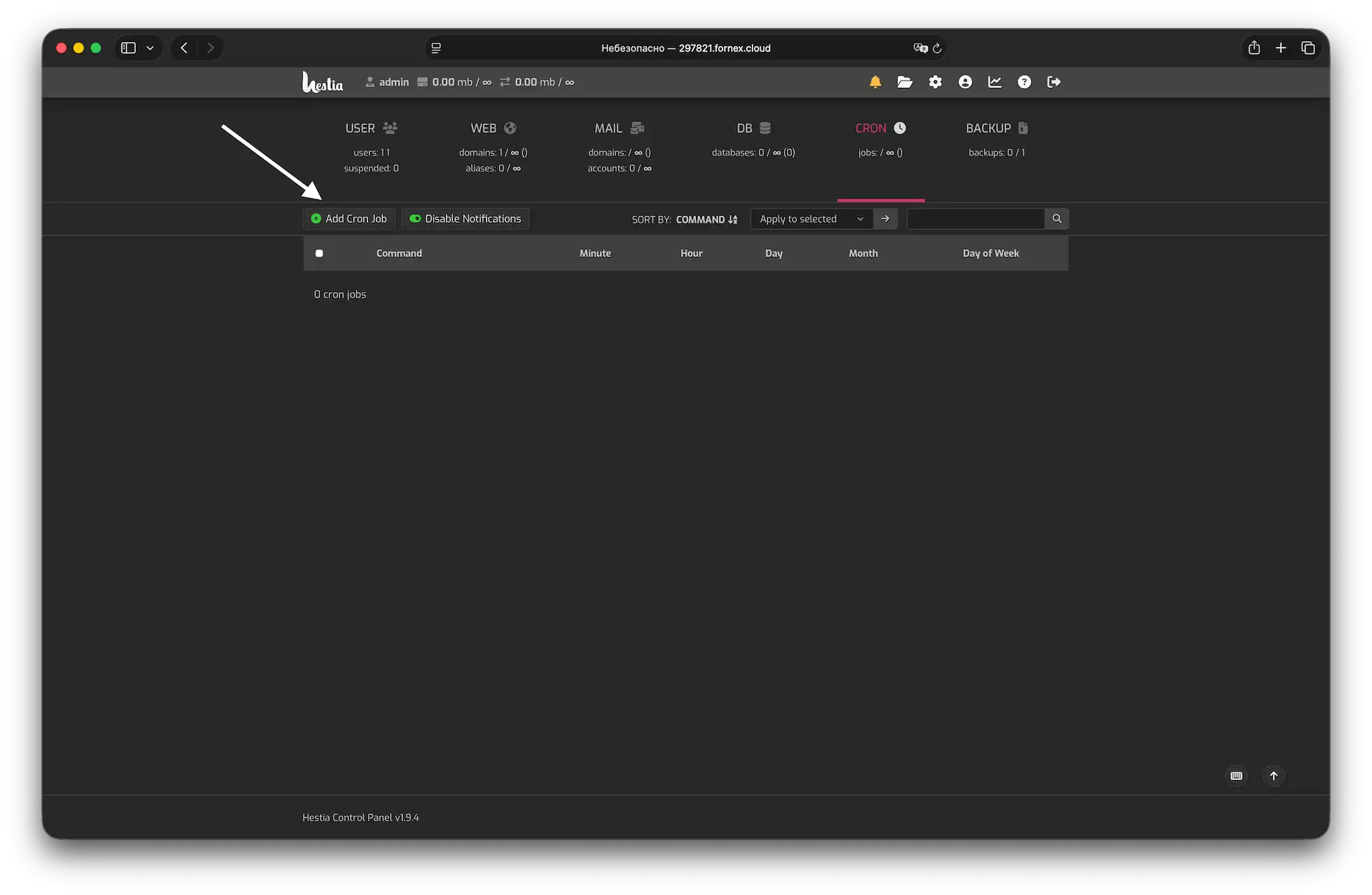 Cron section in Hestia
- Configure the command and timing using.
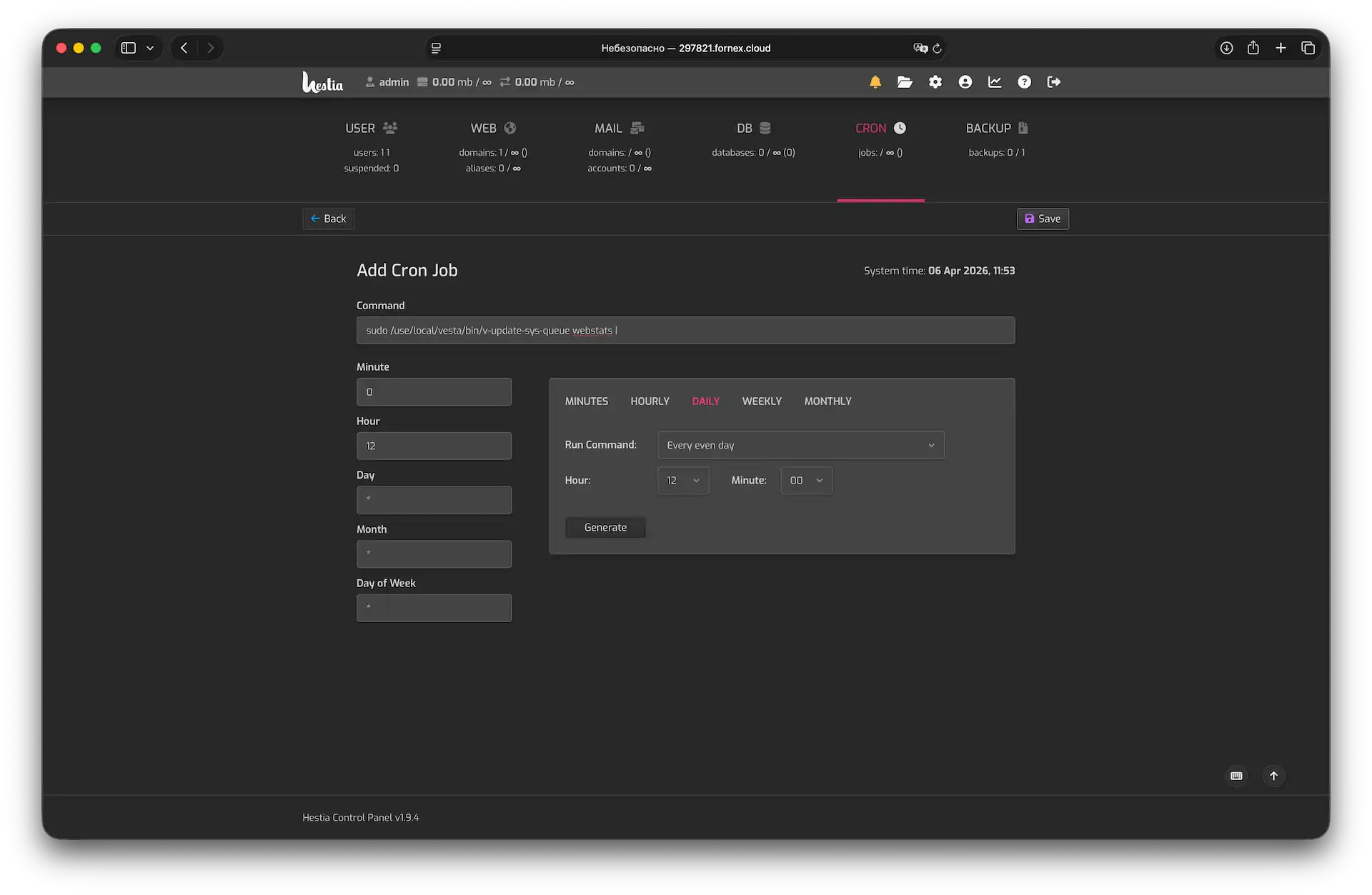 Adding a new job
- Click
Saveto apply your timing settings and crate the job.
Default Cron jobs in Hestia CP
Hestia ships with a set of built-in cron jobs that keep the panel and your server running smoothly.
- Update RRD system statistics:
sudo /usr/local/hestia/bin/v-update-sys-rrd- Update overall user statistics:
sudo /usr/local/hestia/bin/v-update-user-stats- Back up all users:
sudo /usr/local/hestia/bin/v-backup-users- Clear the backup queue:
sudo /usr/local/hestia/bin/v-update-sys-queue backup- Update per-domain web statistics:
sudo /usr/local/hestia/bin/v-update-sys-queue webstats- Update bandwidth usage data:
sudo /usr/local/hestia/bin/v-update-sys-queue traffic- Update disk usage data:
sudo /usr/local/hestia/bin/v-update-sys-queue diskHelp
If you have any questions or need assistance, please contact us through the ticket system — we're always here to help!