Checking mail logs and removing your IP from spam blacklists on a VPS
How to read Exim logs and submit delisting requests to major mail providers.
Viewing mail logs
The examples below are based on a VPS with Exim as the mail server.
Run the following command in the console:
CentOS
tail -f /var/log/exim/main.logDebian / Ubuntu
tail -f /var/log/exim4/main.logThis command streams new mail log entries in real time. Once it's running, open your mailbox in a new tab and send a test email to the address where messages aren't being delivered or are landing in spam.
Switch back to the console — new log entries should appear. Wait a moment, then stop the output with Ctrl+C.
Look for errors containing the word spam. They typically look like this:
SMTP error from remote mail server after end of data:
550 spam message rejected.
or
Message rejected as spam by Content Filtering.
Message rejected under suspicion of SPAM.
Message rejected.
The error message usually includes an error code and a link with details on why the message was blocked.
In ISPmanager5, the same logs are accessible via System → File Manager.
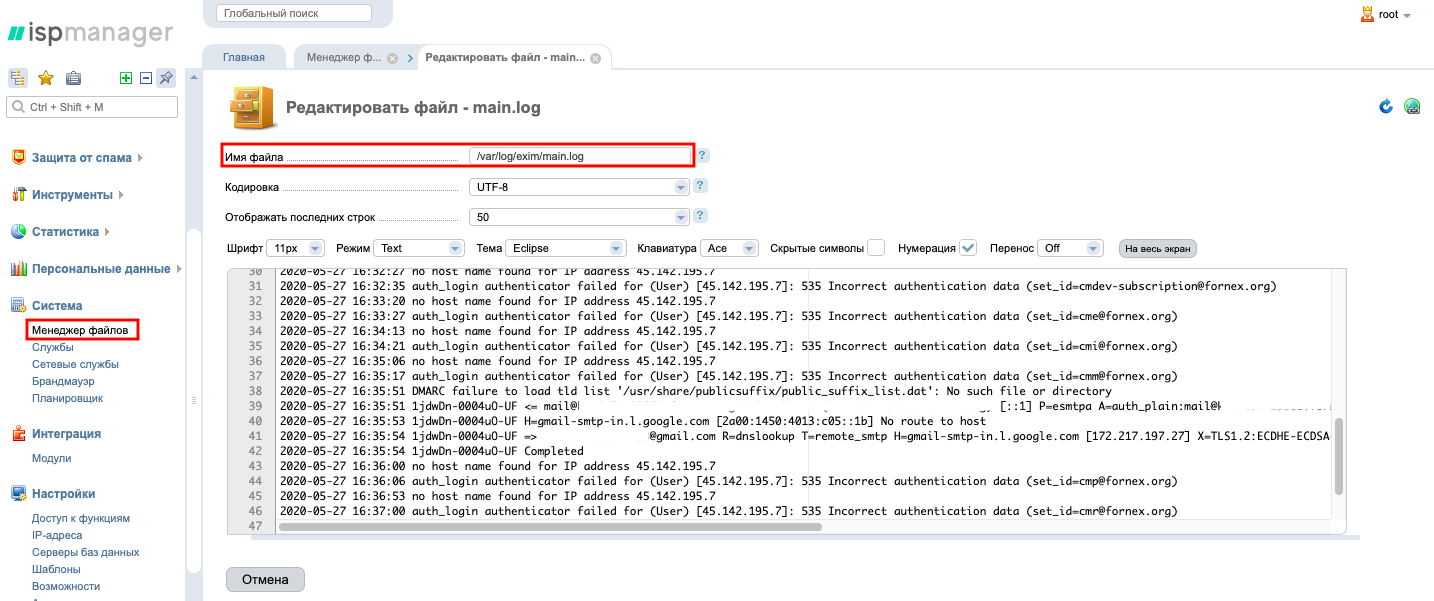 File Manager in ISPmanager5
Removing your IP from spam blacklists
Below are the typical error messages and delisting instructions for the major mail providers.
Gmail
Error:
550-5.7.1 Our system has detected that this message is not RFC 2822 compliant.To request delisting, fill out Google's form:
Email address to contact you— the address where Google's response will be sent.Domains affected by the issue— the blocked IP address of your mail server.Comments— what steps have been taken to eliminate spam from the server.
Hotmail
Error:
550 OU-002 Unfortunately, messages from [IP] weren't sent.
Please contact your Internet service provider since part of their network is on our block list.
To request delisting, fill out Microsoft's form:
Contact name— your name.Contact e-mail address— the address where the support response will be sent.Outbound IP(s) or range(s)— the blocked IP address of your mail server.
Yandex Mail
Error:
Client host [IP] blocked using spamsource.mail.yandex.netTo request delisting, fill out Yandex's form:
What would you like to leave feedback about in Yandex Mail?— select "Other".Your name— your name.Your email address for the response— the address where the support response will be sent.Message— the blocked IP address of your mail server and the steps taken to eliminate spam.
Help
If you have any questions or need assistance, please contact us through the ticket system — we're always here to help!