Restoring access to aaPanel after VPS migration
Restoring access to aaPanel after VPS cloning, migration to another data center.
After migrating a VPS with aaPanel installed, the website may continue to work, but when attempting to access the control panel at the new address, a 403 Forbidden error may occur.
This happens because during the automatic installation of aaPanel on a VPS, access to the control panel is bound to the server's technical domain.
After cloning the VPS or migrating it to another data center, the server receives a new IP address. Once the DNS records are updated, the website starts working from the new IP address, but aaPanel retains the previous domain binding in its configuration.
As a result, aaPanel may return a 403 error when you try to access the control panel at the new address.
Solution
You need to remove the technical domain binding restriction in aaPanel.
Connect to the VPS console via the Client Area and run:
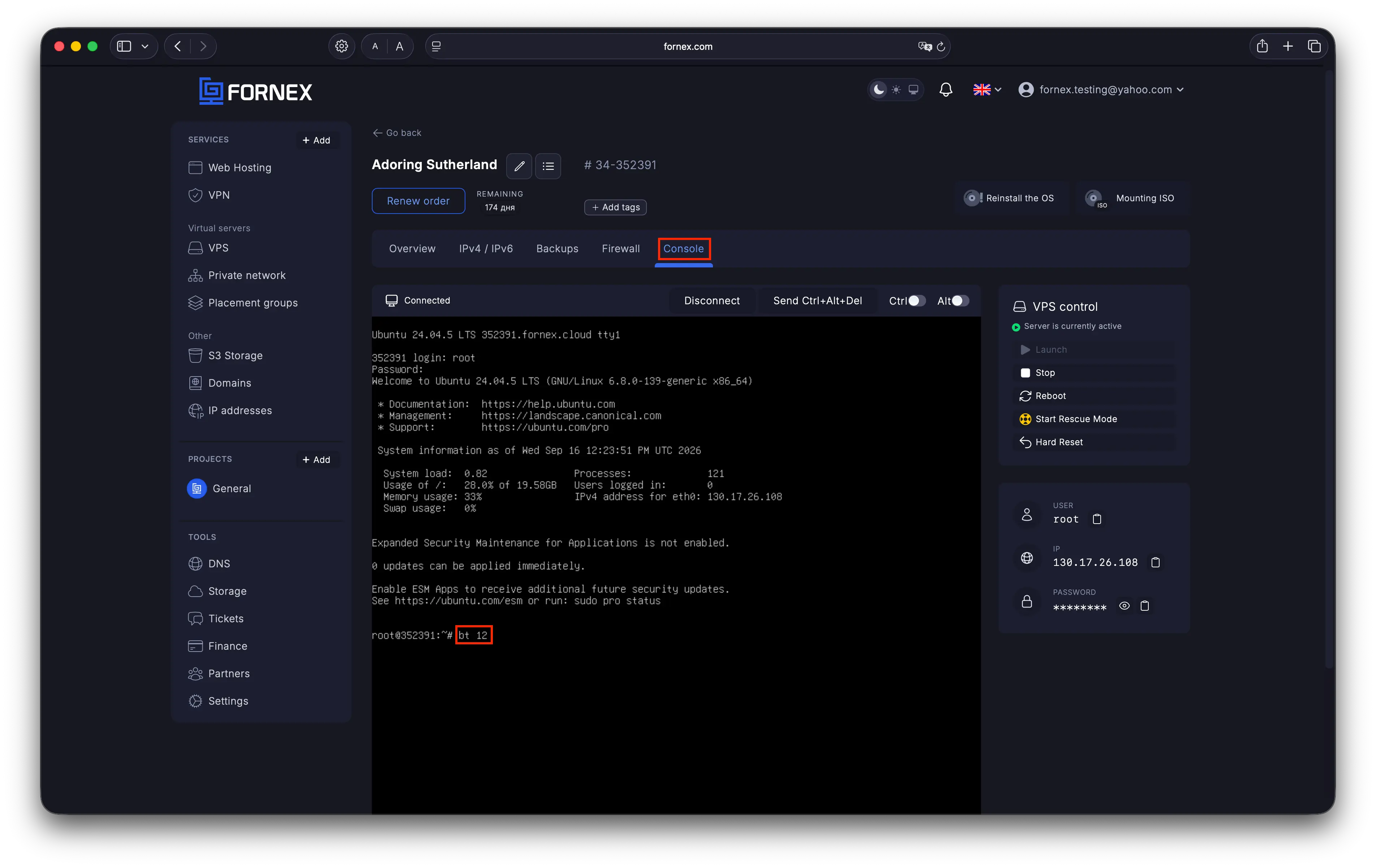 Connecting to the VPS console
bt 12The Cancel domain binding limit command removes the domain binding restriction for the control panel.
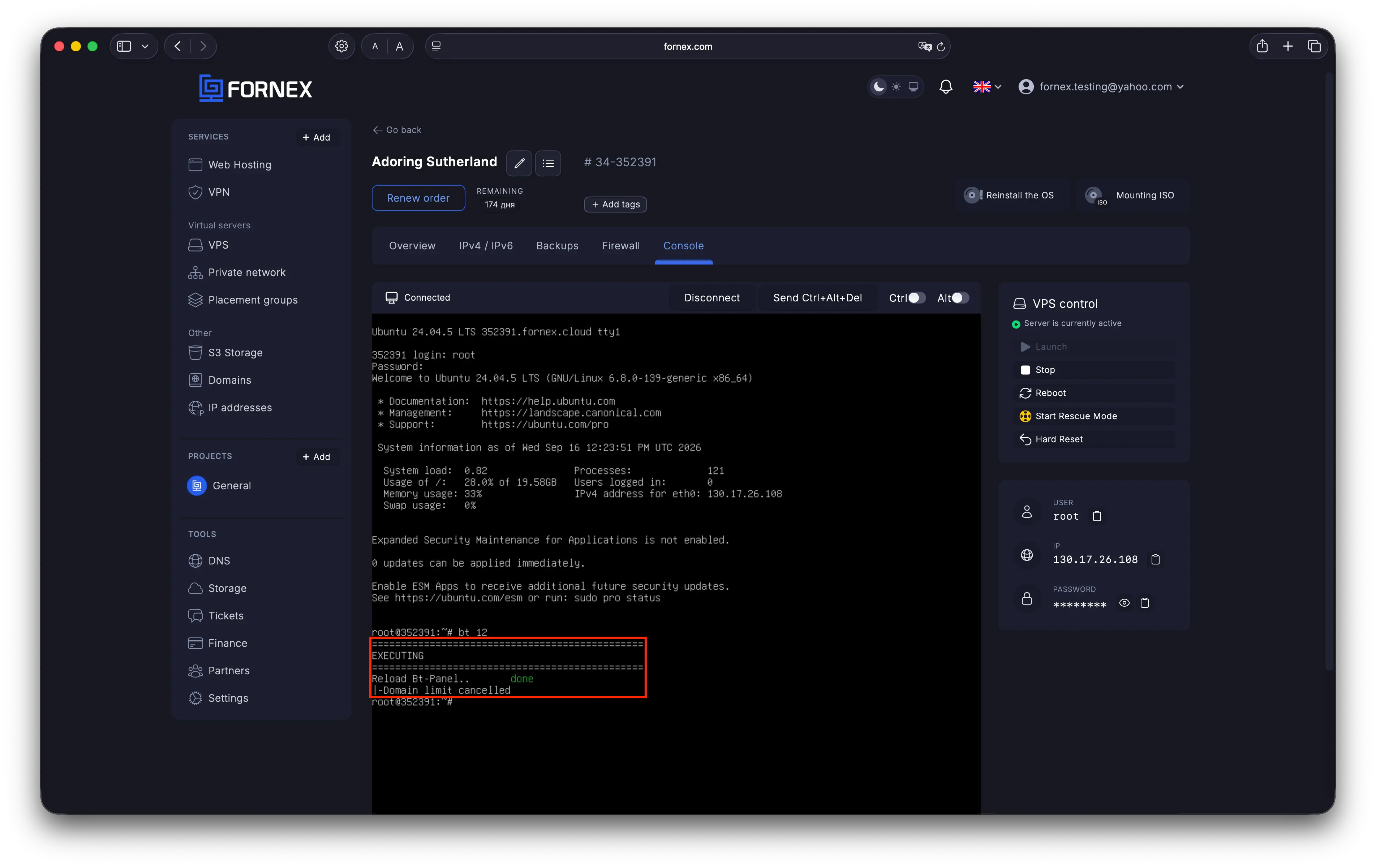 Running the bt 12 command
After running the command, open aaPanel in your browser again. Access to the control panel should be restored.
Verification
After running the command, make sure that:
- aaPanel opens without a 403 error.
- You can successfully log in to the control panel.
- Websites hosted on the VPS are accessible using their current IP addresses and domains.
Important
This issue may occur after an IP address change caused by cloning the VPS or migrating it to another data center, while aaPanel retains the previously configured binding to the technical domain.
Aiuto
Hai domande o ti serve una mano? Scrivici tramite il sistema di ticket — siamo sempre qui per aiutarti!