Setting up v2RayTun VPN app on MacOS
Step-by-step guide for setting up Xray VPN protocol using v2RayTun app on Mac.
To connect to VPN on macOS using the Xray protocol, use the v2RayTun or V2Box app from the App Store.
Looking for a high-quality VPN?
Fornex offers a fast, unlimited VPN that provides full encryption on all devices and unrestricted access to any website. More details on the VPN page.
Quick setup
- In your control panel, select the VPN connection country.
- Click
Copy— the configuration will be copied to your clipboard for manual import.
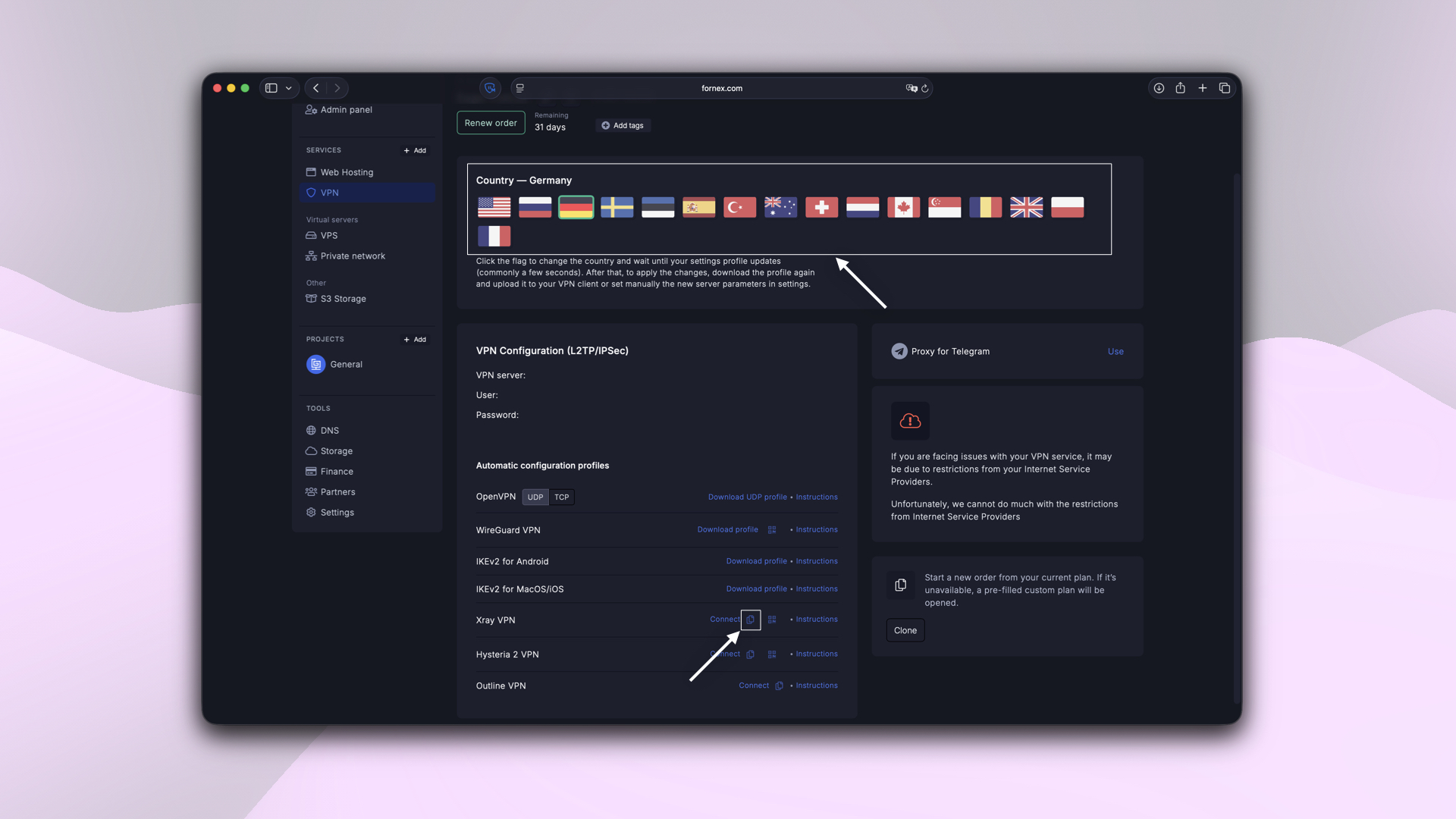 Selecting a country and configuration option
- Open the v2RayTun app and click
+in the top right corner. - Select
Import from clipboard. - Click the connect button and allow the VPN configuration to be added in your device settings if prompted.
 Pasting the VPN configuration into v2RayTun
The Xray protocol supports only one active connection at a time. This applies to simultaneous connections from multiple devices or apps.
After connecting, you can verify your IP address at 2IP.
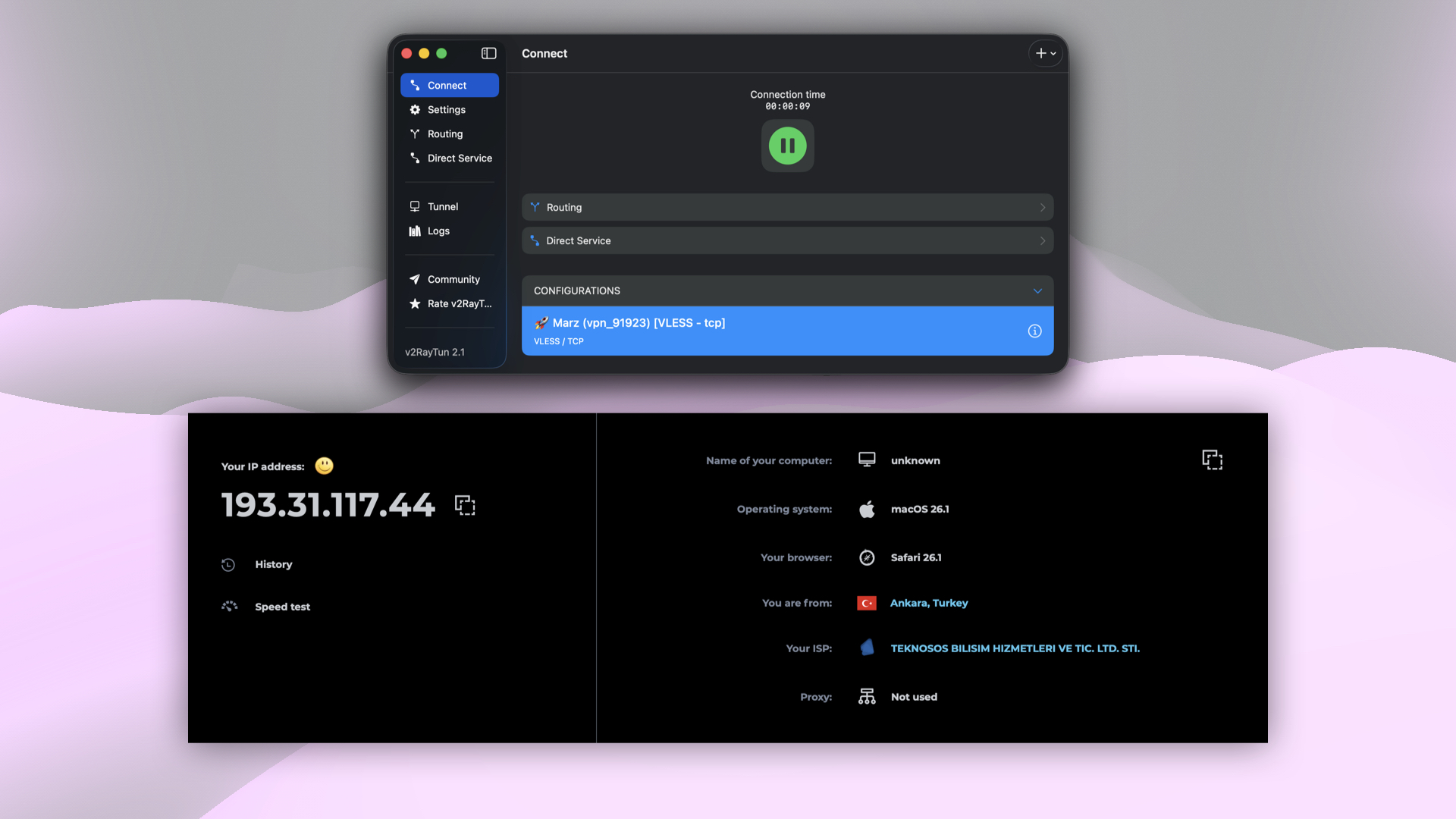 Checking the IP address after connecting
Our products and services
Split tunneling
If you need certain traffic to go directly without passing through the VPN server, v2RayTun includes a Direct Service feature.
Open the Direct Service section, check the Enabled box, and select the domain zones and services that should bypass the VPN.
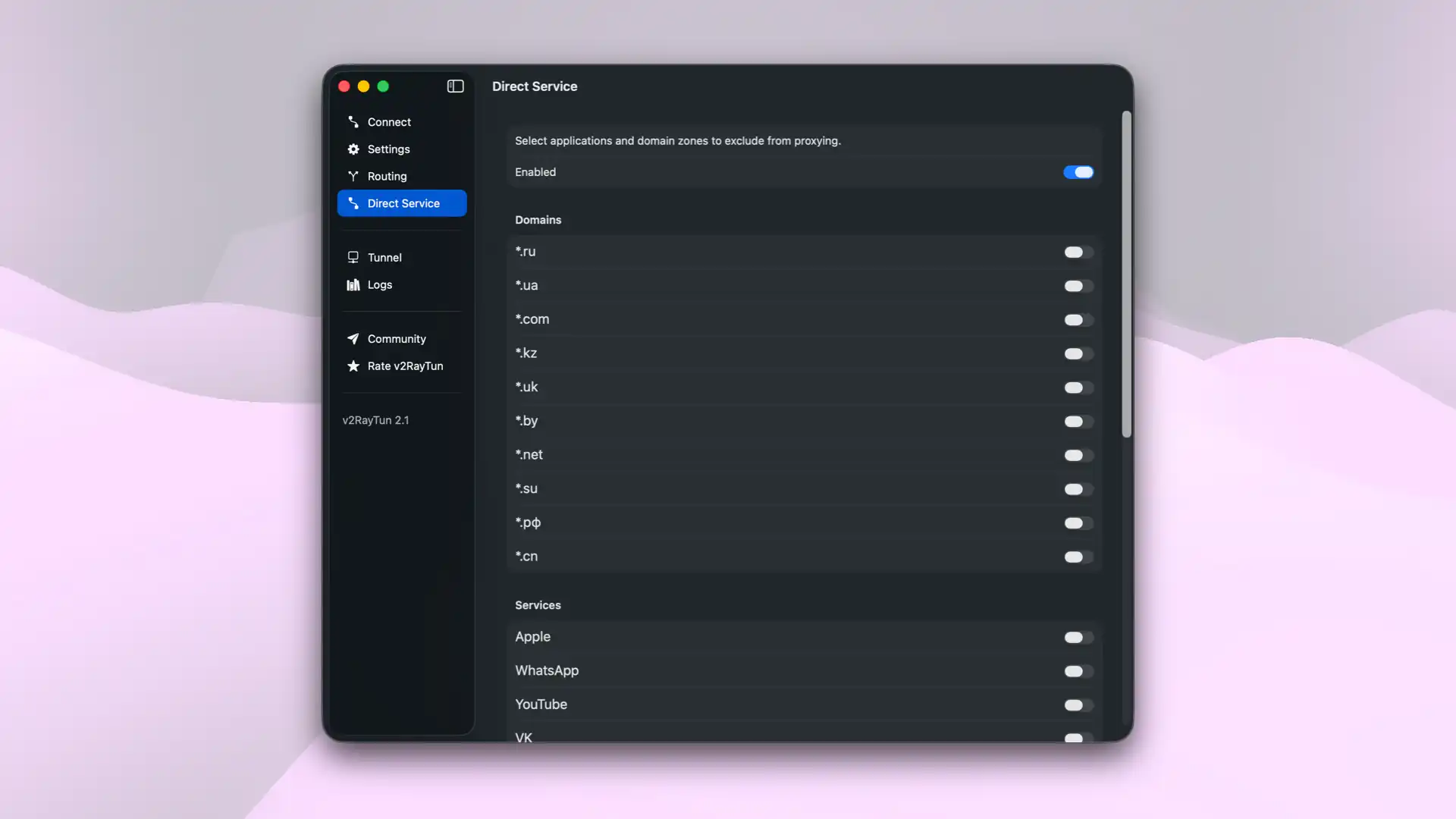 Direct Service settings in v2RayTun
This is a standard split tunneling setup: selected domain zones and applications will connect directly, while all other traffic goes through the VPN.
VPN on Apple TV?
To set up Xray VPN on Apple TV, use the Happ — Proxy Utility for TV app, available on the App Store.
Help
If you have any questions or need assistance, please contact us through the ticket system — we're always here to help!