Multi-Hop VPN
Managing your order and setting up Multi-Hop connections.
Multi-Hop VPN routes your traffic through multiple VPN servers in different locations, adding extra layers of privacy and security. Your real IP is hidden behind a chain of nodes, making it much harder to trace or block.
Key benefits:
- Significantly higher anonymity and protection against tracking
- Support for WireGuard, Xray, IPsec, and IKEv2 protocols
- One-click connection setup
- Instant activation after purchase
- Works on Windows, macOS, Linux, iOS, Android, MikroTik and Keenetic routers
All order management happens in your personal account → VPN section.
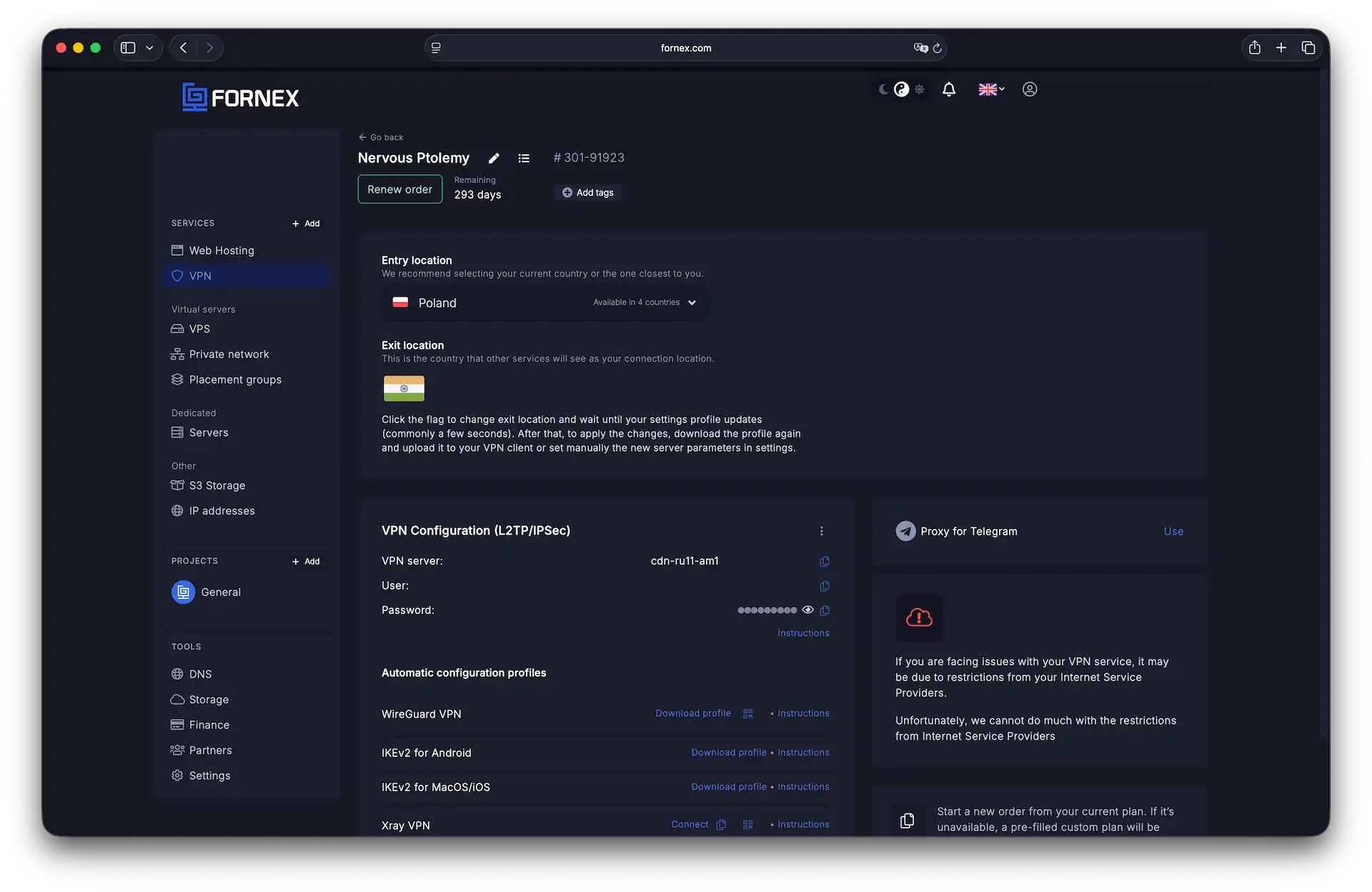 Main order management dashboard
Choosing entry & exit Locations
You can select your entry point (where traffic enters the VPN network) and exit point (where it leaves to the internet) in just two clicks.
Entry points (incoming traffic):
- Spain
- UAE
- Poland
- Estonia
Exit points (outgoing traffic):
- Australia
- Canada
- USA
- Singapore
- Turkey
- Armenia
- France
Tip
For the best speed, pick entry and exit locations on the same continent or as close as possible. Maximum VPN channel speed is up to 100 Mbps.
Setting up your connection
Connections are available via WireGuard, Xray, IPsec, and IKEv2.
Download the configuration profile for your preferred protocol and follow the setup guide:
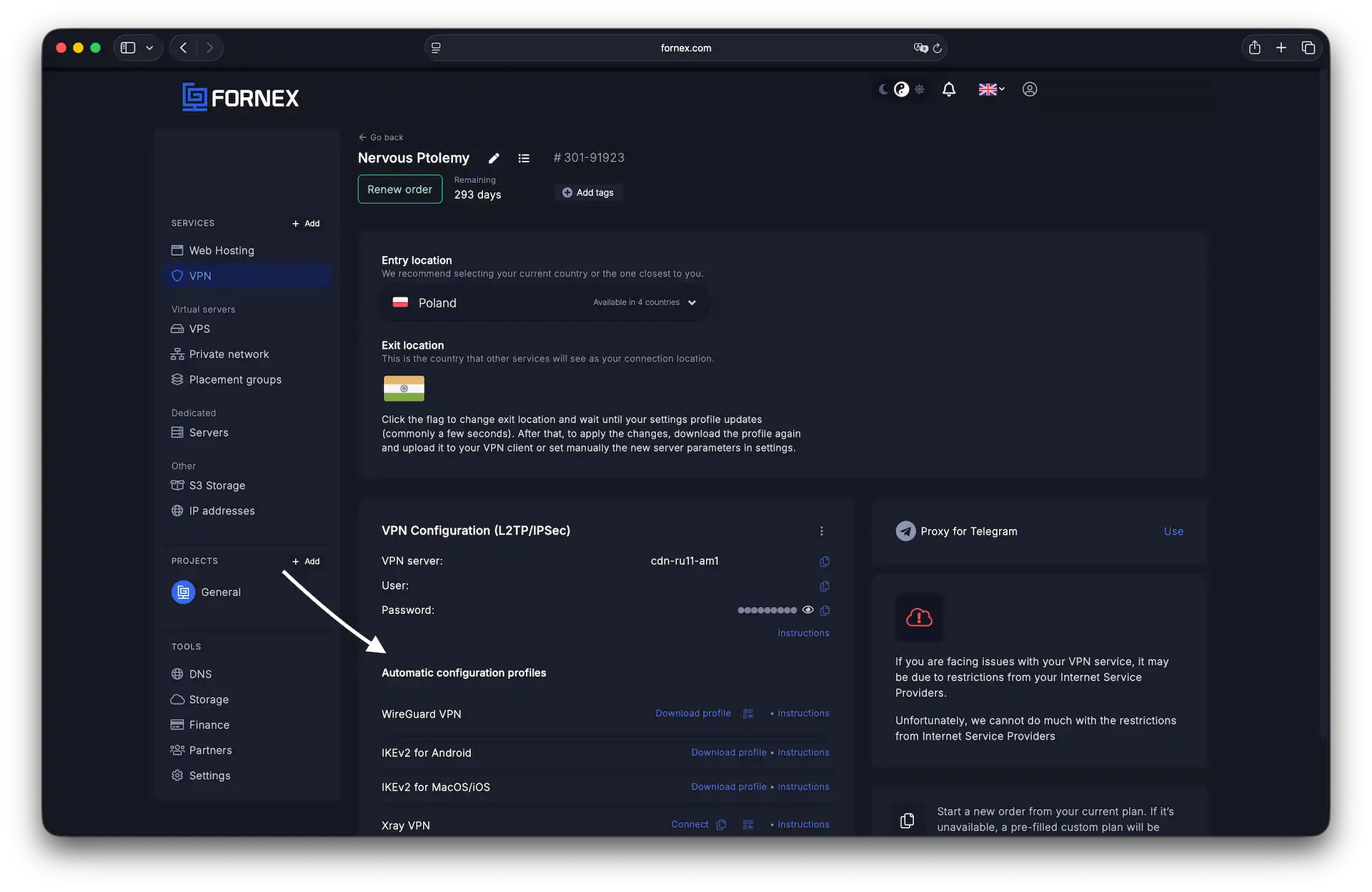 Download and setup profiles section
Telegram users can also use the built-in proxy server — just copy the details and add them in Telegram settings.
Tip
For the best speed, pick entry and exit locations on the same continent or as close as possible. Maximum VPN channel speed is up to 100 Mbps.
Help
If you have any questions or need assistance, please contact us through the ticket system — we're always here to help!