Increasing file upload limits in Hestia CP
How to modify the upload_max_filesize directive.
Hestia CP is a powerful, user-friendly control panel that streamlines everything from site management and SSL deployment to cron jobs and database administration. By default, Hestia often sets the PHP upload limit (upload_max_filesize) to 2MB—a threshold that is typically too low for modern CMS platforms or media-heavy sites. Fortunately, you can easily adjust this limit directly through the dashboard.
Step-by-step configuration
- Log in to your Hestia CP dashboard.
- Click on the Server Settings (gear icon) in the top navigation bar.
- Locate the Apache2 service in the list.
- Hover over it and click
Edit. - Select the
Configure PHPbutton to open the settings interface.
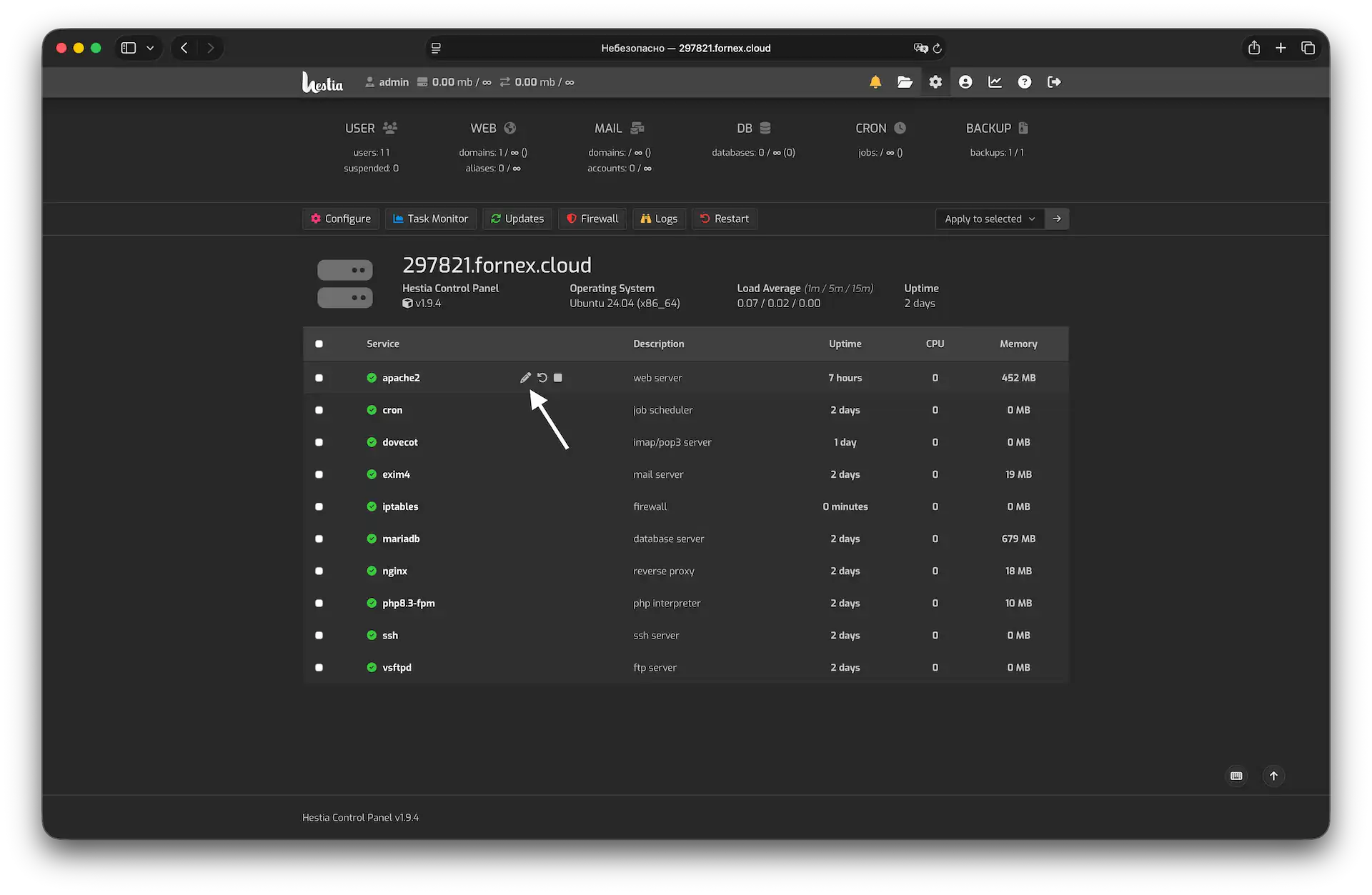 Navigating to PHP configuration within the Hestia
- Locate the upload_max_filesize directive and increase the value from
2Mto your desired limit (e.g.,64M,128M, or256M).
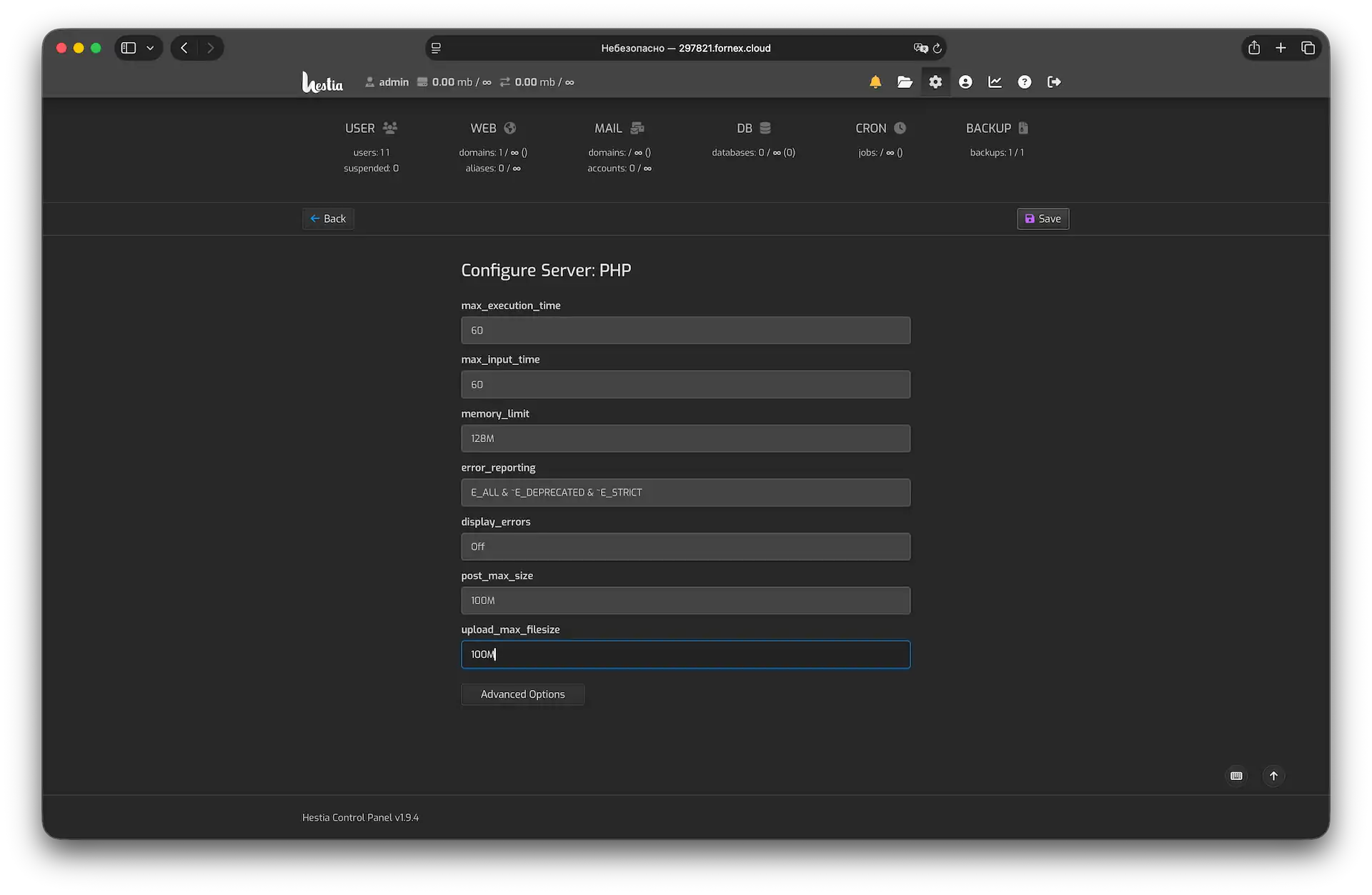 Updating the file upload threshold
- Ensure the Restart checkbox is selected and click
Save.
The control panel will automatically validate the configuration and restart the web service to apply your new settings instantly.
Pro-tips
- The golden rule: Always ensure that
post_max_sizeis set to a value equal to or greater thanupload_max_filesize. Ifpost_max_sizeis smaller, your uploads will still fail regardless of the file size limit. - Recommended values: For most WordPress or Laravel sites,
64Mor128Mprovides a good balance between functionality and server resource protection. - Troubleshooting: If the changes don't appear to take effect, clear your browser cache (Ctrl + Shift + Delete) or check if you have an active OPcache that needs a manual reset.
Help
If you have any questions or need assistance, please contact us through the ticket system — we're always here to help!