Disabling TLS/SSL in FileZilla
Fixing the "Connection timed out after 20 seconds of inactivity" error when connecting to your server.
FileZilla is a free, open-source FTP client widely used to upload and download files to Web Hosting, VPS, and dedicated servers.
One of the most common connection errors looks like this:
Command:	MLSD
Error:	Connection timed out after 20 seconds of inactivity
Error:	Failed to retrieve directory listing
Status:	Disconnected from server
This usually happens when FileZilla tries to establish a secure connection (FTPS/TLS), but the server either doesn't support it or the certificate setup doesn't match what the client expects.
On Fornex servers, the simplest and most reliable solution is to switch to plain FTP (unencrypted).
How to disable TLS/SSL and use plain FTP
- Open FileZilla.
- Press Ctrl + S or go to File → Site Manager.
- Select your saved site (or create a new one).
- Go to the General tab.
- In the Encryption dropdown, choose:
Use plain FTP - Click Connect.
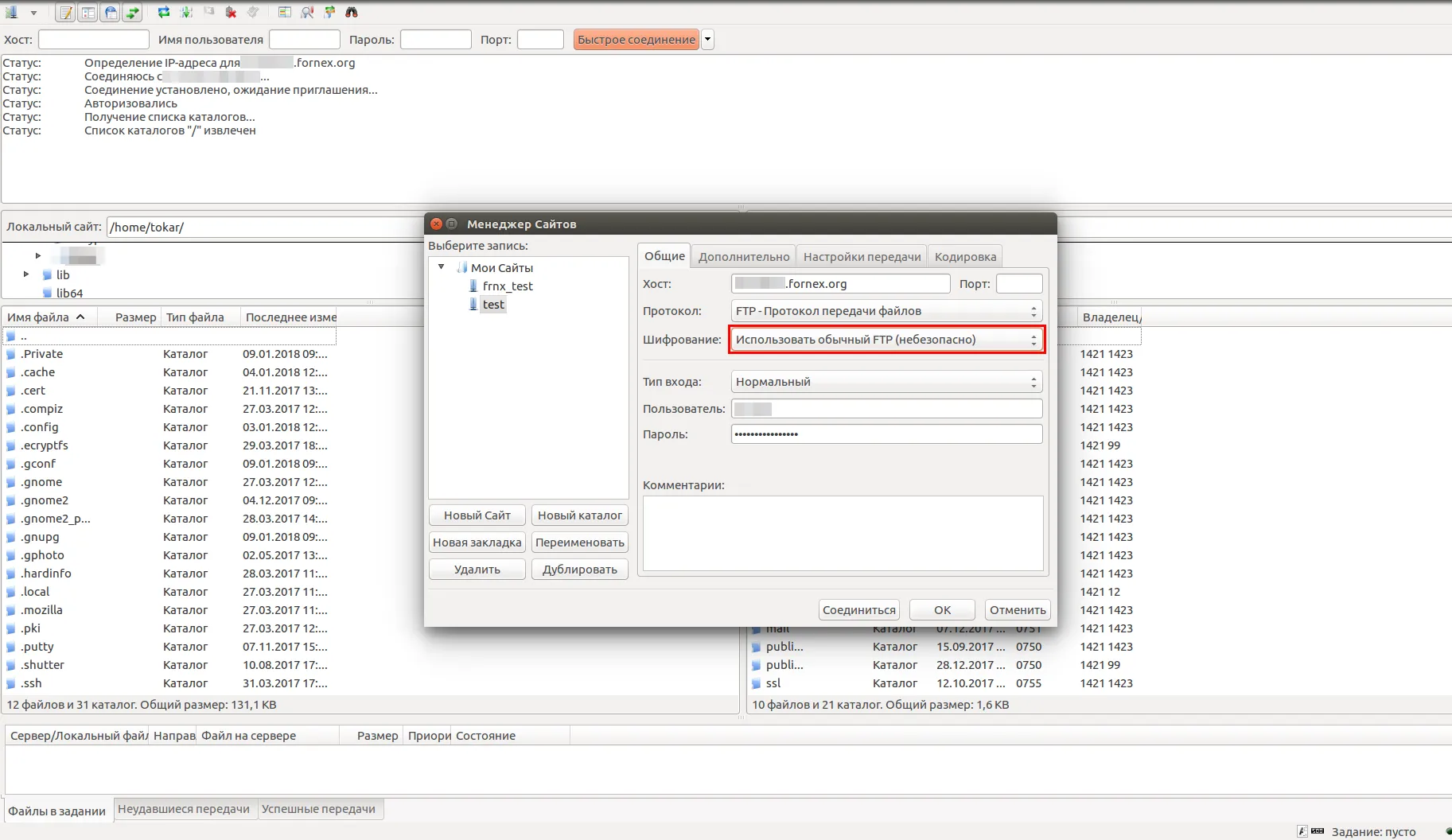 Selecting "Use plain FTP" in Site Manager
After this change, FileZilla should connect successfully and display the directory listing.
Our products and services
Useful notes
- Plain FTP sends both data and passwords in clear text — only use it over trusted networks (avoid public Wi-Fi).
- For secure file transfers, switch to SFTP instead (SSH File Transfer Protocol).
In Site Manager, set Protocol to SFTP, port 22, and use your SSH credentials. - If the error persists even after disabling TLS, double-check:
- Correct IP address, username, and password
- Port 21 is open on the server (it is by default on Fornex)
- No IP block from your ISP or firewall
Help
If you have any questions or need assistance, please contact us through the ticket system — we're always here to help!