Connecting to Windows Server via RDP on Ubuntu
Guide to using the Remmina client for setting up RDP connection.
RDP (Remote Desktop Protocol) is Microsoft's remote desktop protocol. It allows you to connect from Ubuntu to a VPS or dedicated server running Windows and fully control it remotely — work in the graphical interface, run applications, edit files, and configure the system.
RDP client for Ubuntu is Remmina — a powerful, open-source remote desktop client that comes pre-installed in most Ubuntu distributions. If Remmina is not installed, run:
sudo apt update
sudo apt install remmina remmina-plugin-rdp
Step 1: launch Remmina
Press the Super key (Win) and type Remmina → press Enter.
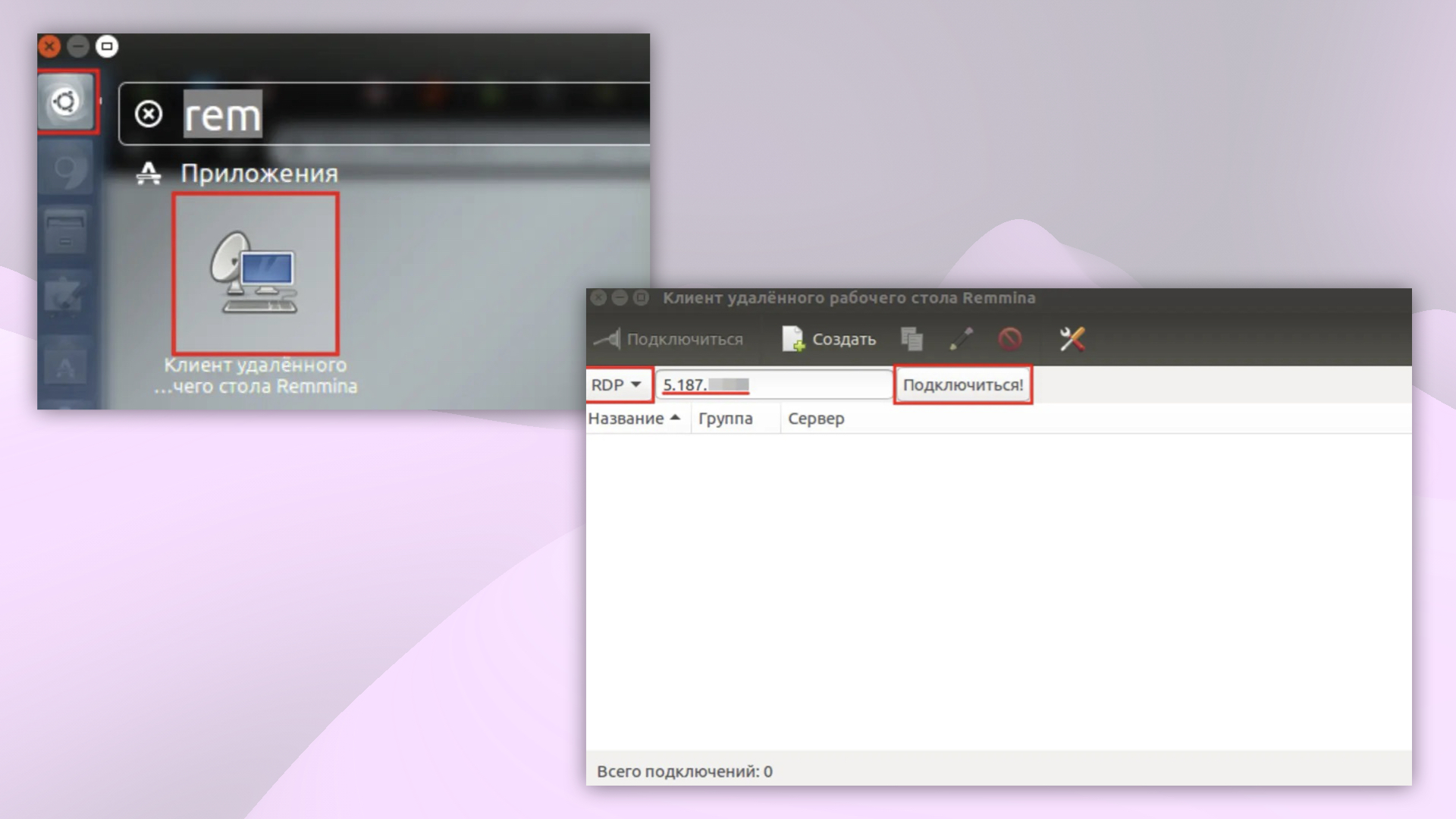 Launching Remmina via search
Step 2: create a new connection
- In the main Remmina window, click the + button (add new connection) or select RDP from the protocol dropdown.
- Fill in the fields (find it in your Fornex personal dashboard → order details):
- Server — IP address of your server
- Username —
Administratoror another Windows user - Password — password for the Windows account
- Click Save or Connect directly.
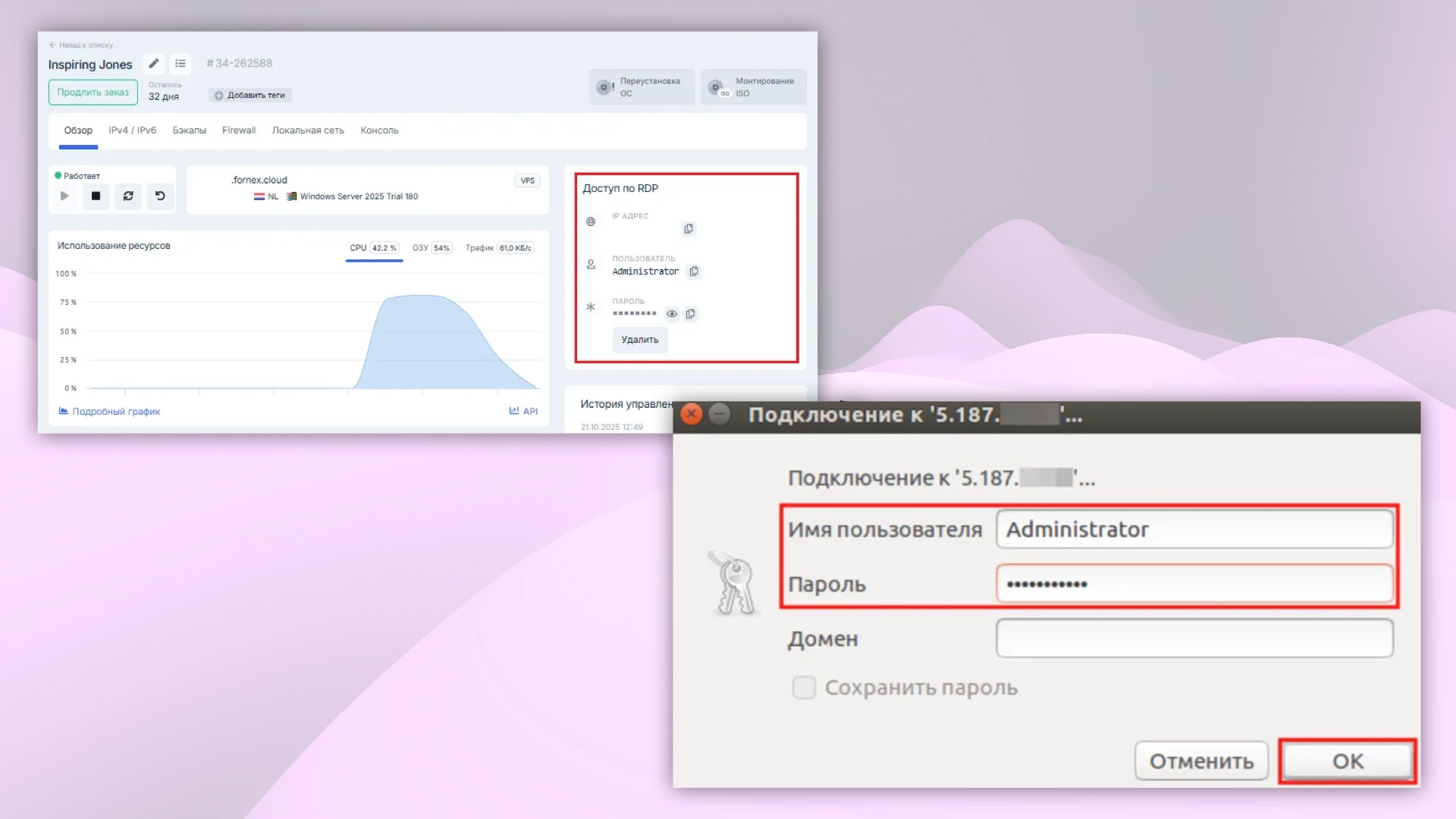 New RDP connection form
Step 3: connect
-
In the connection list, select your saved profile and click Connect.
-
On first connection, Remmina will warn you about the server's untrusted certificate. Click Accept — the certificate will be trusted for future connections.
-
You will be logged into the Windows desktop.
Useful Tips
- If connection fails, check:
- Correct IP address and port (default 3389)
- RDP is allowed in the Windows firewall (enabled by default)
- Network Level Authentication (NLA) is enabled — if so, use an administrator account
- For better security, restrict RDP access to your IP only — see the guide: Restricting RDP Access by IP Address.
- Remmina lets you save multiple profiles — create separate ones for each server.
Help
If you have any questions or need assistance, please contact us through the ticket system — we're always here to help!