Setting up Outline VPN on Windows
Step-by-step guide to connecting to Outline VPN on Windows.
Outline VPN is an open-source VPN service designed for fast and secure internet access using your own or private VPN server. To connect from Windows, use the official Outline App: download page.
Looking for a high-quality VPN?
Fornex offers a fast, unlimited VPN that provides full encryption on all devices and unrestricted access to any website. More details on the VPN page.
Quick Setup
- In your Fornex personal dashboard, select the VPN connection country.
- Click Connect — this will automatically open the Outline App.
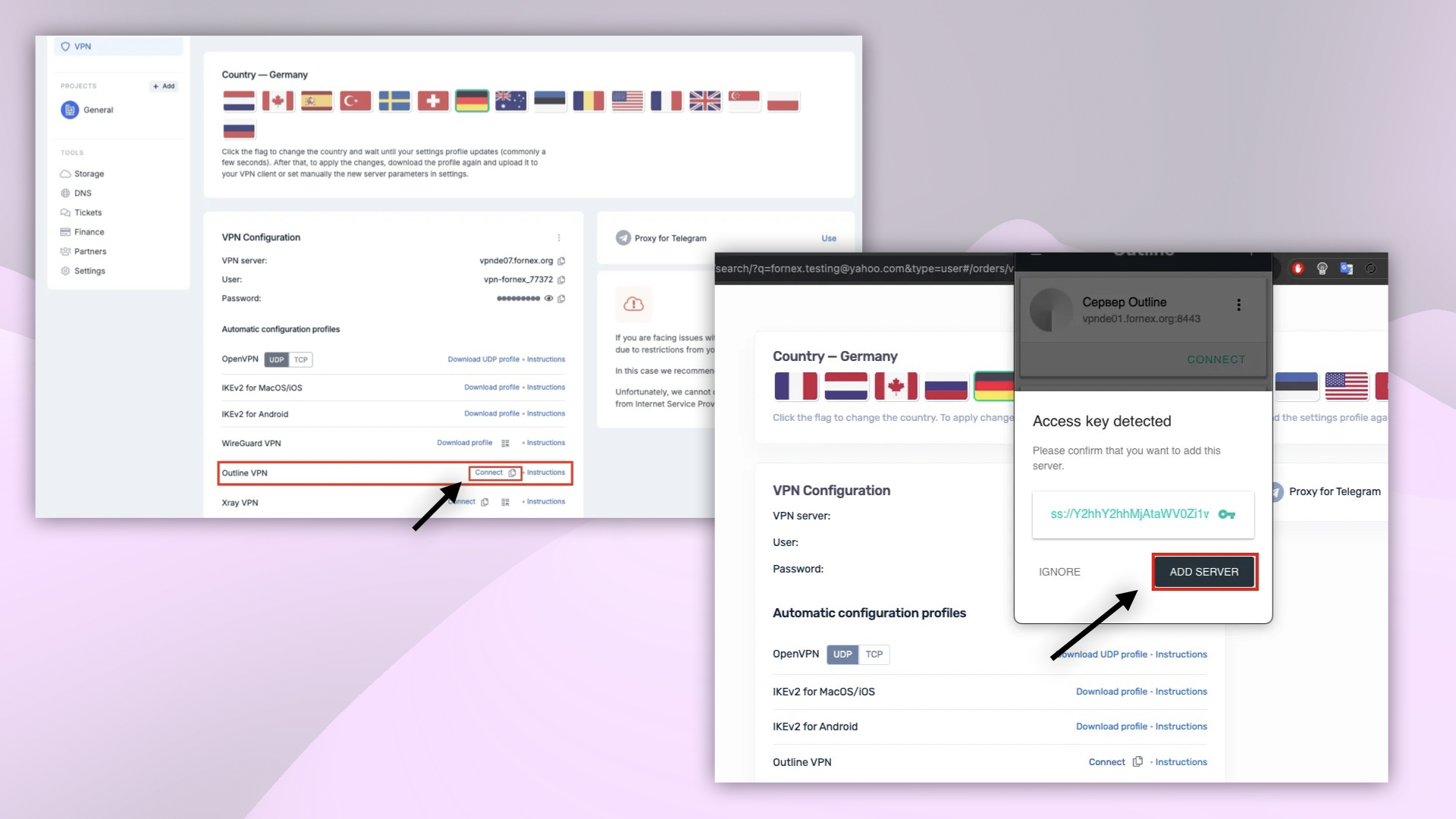 Selecting VPN connection country and configuration
- In the Outline App, click Add server — the configuration file will be automatically imported from your clipboard.
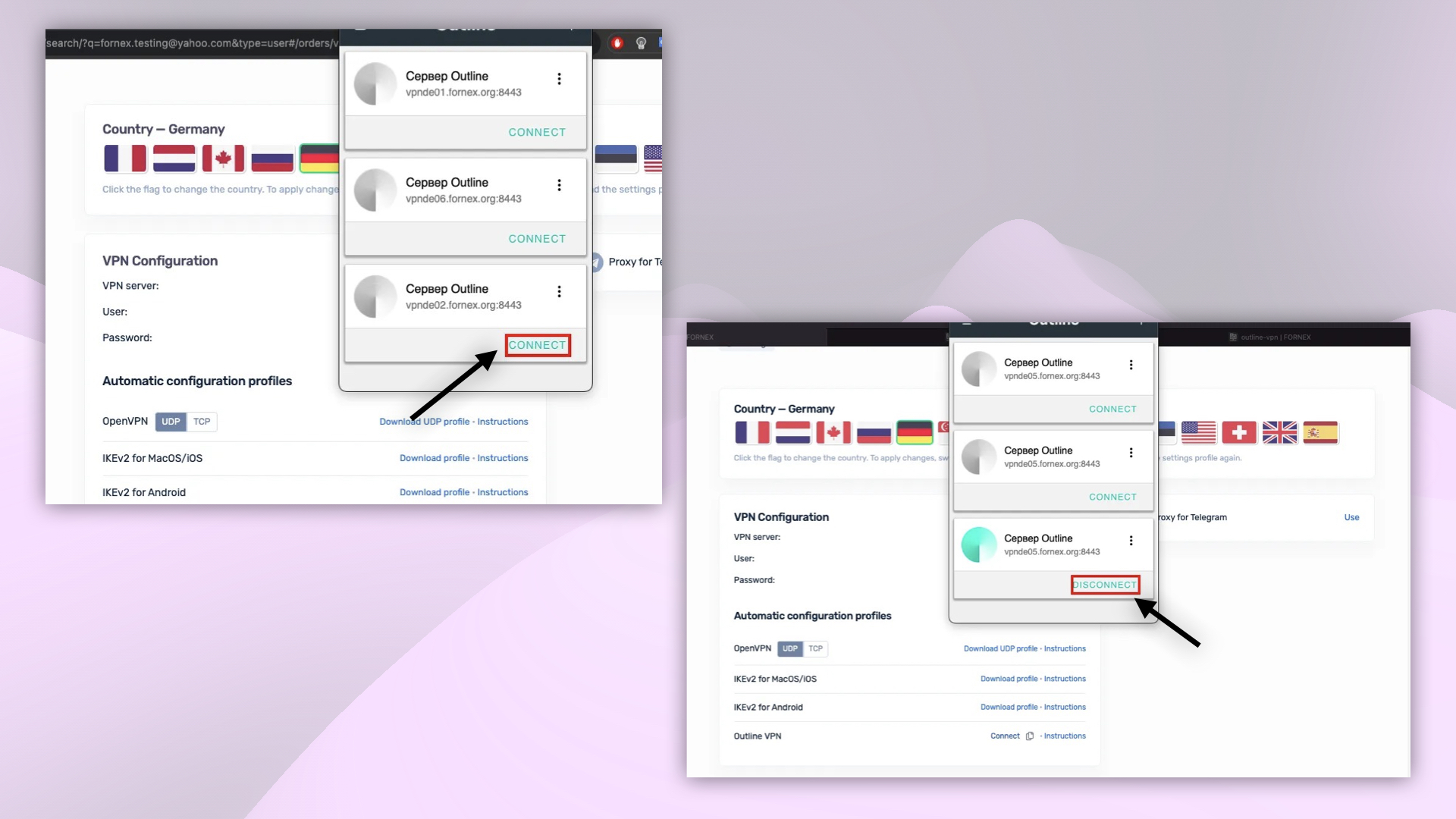 Importing VPN configuration from clipboard
- Click the connect button to establish the VPN connection. If prompted, allow the VPN configuration in your device settings.
Once connected, you can verify your new IP address on services like 2IP or whatismyipaddress.com.
Help
If you have any questions or need assistance, please contact us through the ticket system — we're always here to help!