Configuring network bandwidth for your VPS
Managing your default 300 Mbps port and scaling up to 1 Gbps on VPS.
The default network interface bandwidth for all VPS plans in the Sweden, Germany, Netherlands, and Russia locations is 300 Mbp/s. For projects with higher network performance requirements, the bandwidth can be upgraded to 1 Gbit/s.
Information
In all other locations, the network speed is currently limited to 100 Mbp/s.
Upgrades are available in +100 Mbps increments. You can add up to 700 Mbps of additional throughput to your base plan, reaching a maximum capacity of 1000 Mbps (1 Gbps) per virtual server.
When to consider an extra bandwidth
- 300 Mbps (Standard): Sufficient for most use cases, including websites, API hosting, database management, standard streaming, and file transfers.
- 1 Gbps (Extended): Recommended for high-load environments, large-scale data processing, low-latency requirements, and ensuring consistent performance during peak traffic hours.
Selecting speed during VPS order
You can configure your bandwidth during the initial server setup before checkout.
- Go to the VPS order page.
- Select your preferred location and tariff plan.
- Find the Bandwidth block in the extra services section.
- Choose the required amount of additional speed (from +100 to +700 Mbps).
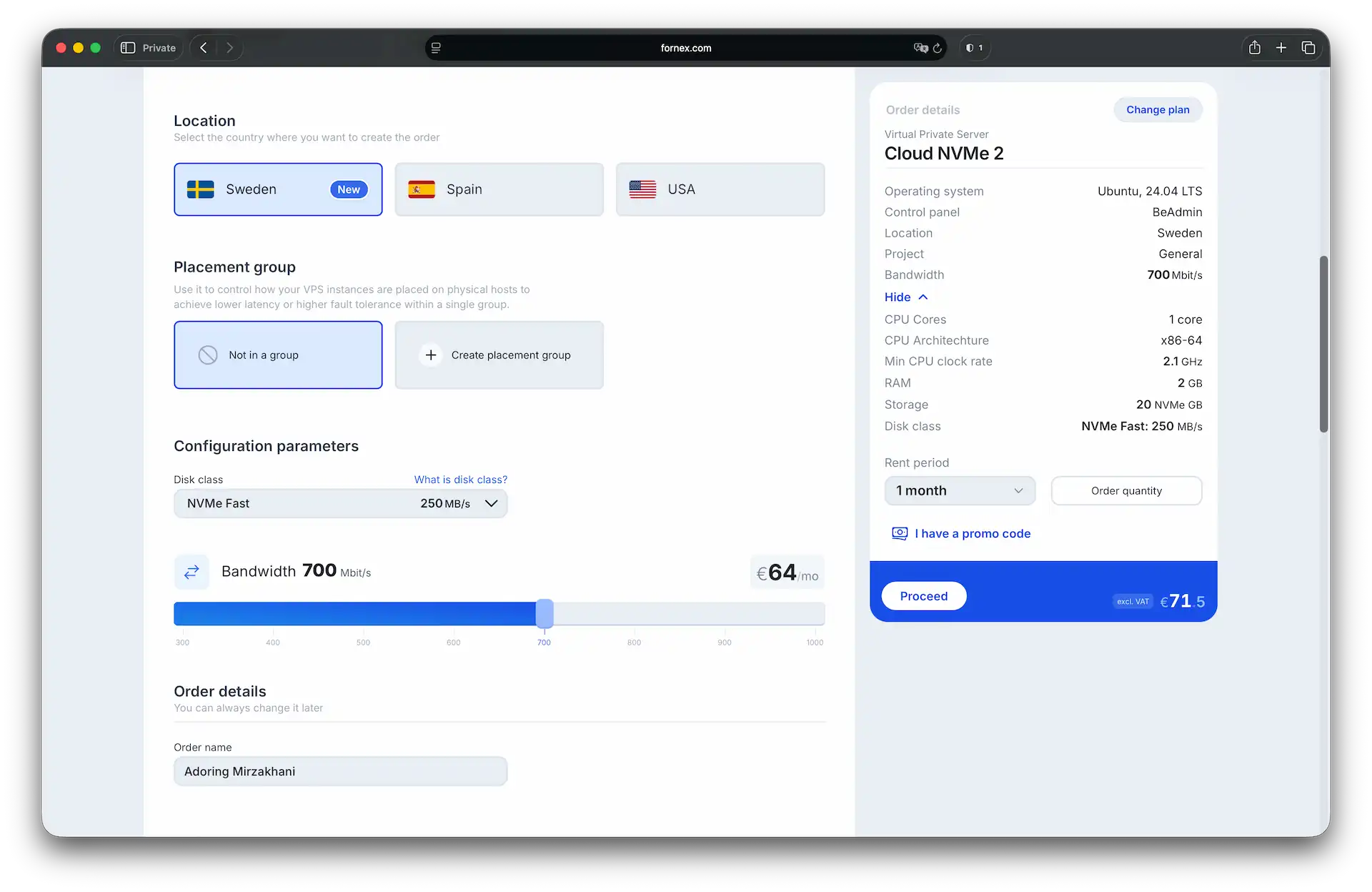 Selecting an extended bandwidth during the checkout process
Don't have a VPS yet?
Fornex offers VPS hosting with full root access, and 24/7 support. Get a stable server with NVMe disks for fast and reliable operation. Find more details on the Fornex VPS page.
Upgrading speed on an active server
If your server is already deployed, you can manage its bandwidth via the control panel.
- Go to the VPS section.
- Select the desired server from the list to open the dashboard.
- In the dashboard, look at the server configuration settings.
- Specify the required amount of additional Mbps and confirm the changes.
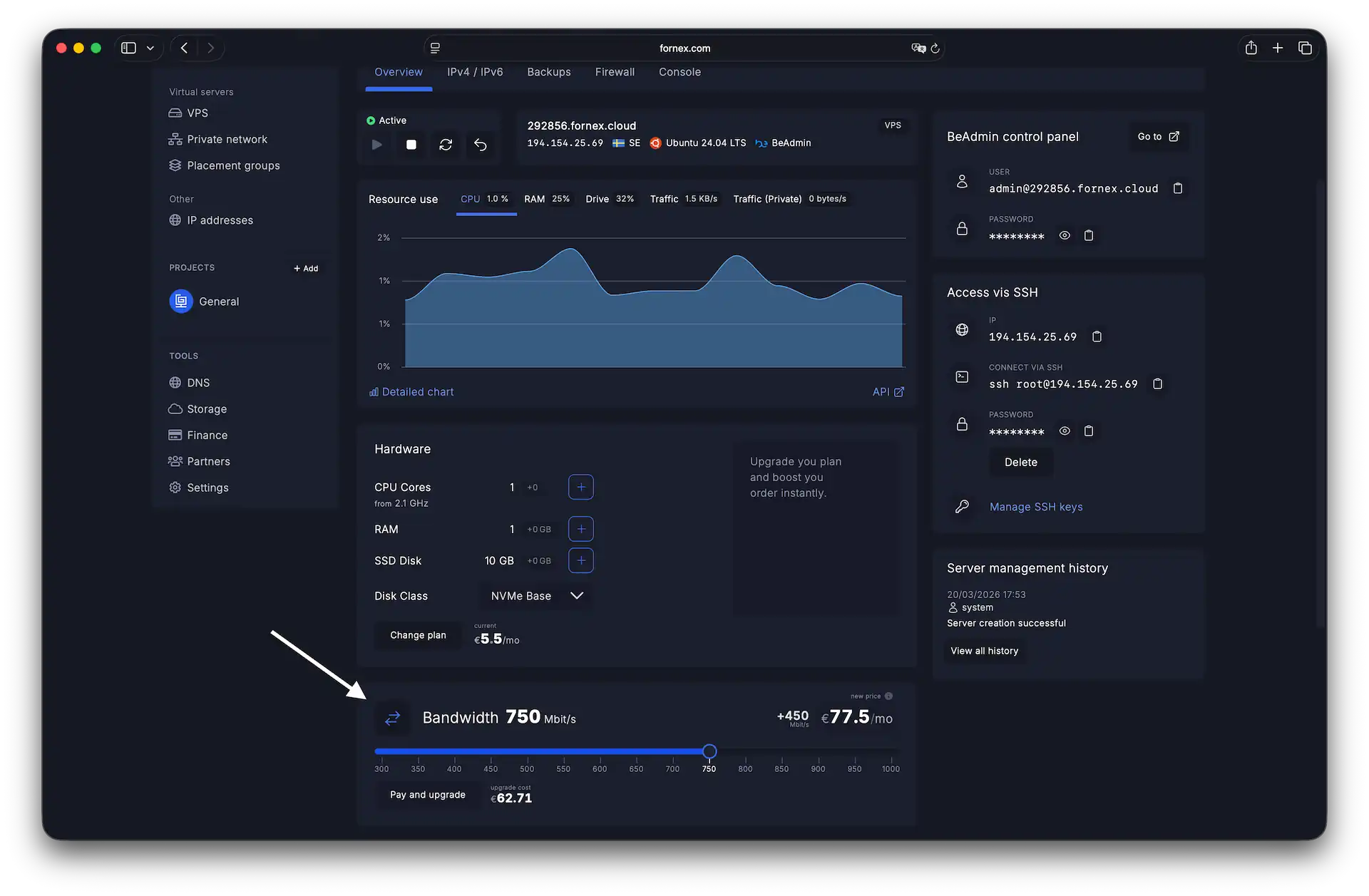 Upgrading speed on active server
To apply the new network settings at the hypervisor and operating system level, a server reboot is required.
Help
If you have any questions or need assistance, please contact us through the ticket system — we're always here to help!