FTP backup in Hestia CP
How to set up automatic backups to a remote server.
Hestia CP is one of the most popular and user-friendly hosting control panels around. It covers everything from managing websites, email, and databases to SSL certificates, file management, and task scheduling — all from a clean, straightforward interface.
By default, it stores backups only locally on the server. However, you can easily configure automatic backups to a remote FTP or SFTP server for better data protection.
Step 1: Configure remote backup
- Log in to your Hestia CP panel.
- Go to Server Settings → Configure → Backups.
- Open the Remote Backup tab.
Fill in the following fields:
- Protocol — choose
ftporsftp(SFTP is strongly recommended for security) - Host — IP address or domain name of the remote server
- Port — port number (default: 21 for FTP, 22 for SFTP)
- Username — FTP/SFTP username
- Password — password for the user
- Directory — path to the folder where backups will be stored (e.g.,
/backups/hestia/)
You can also set compression type (gzip or zstd) and compression level.
Click Save.
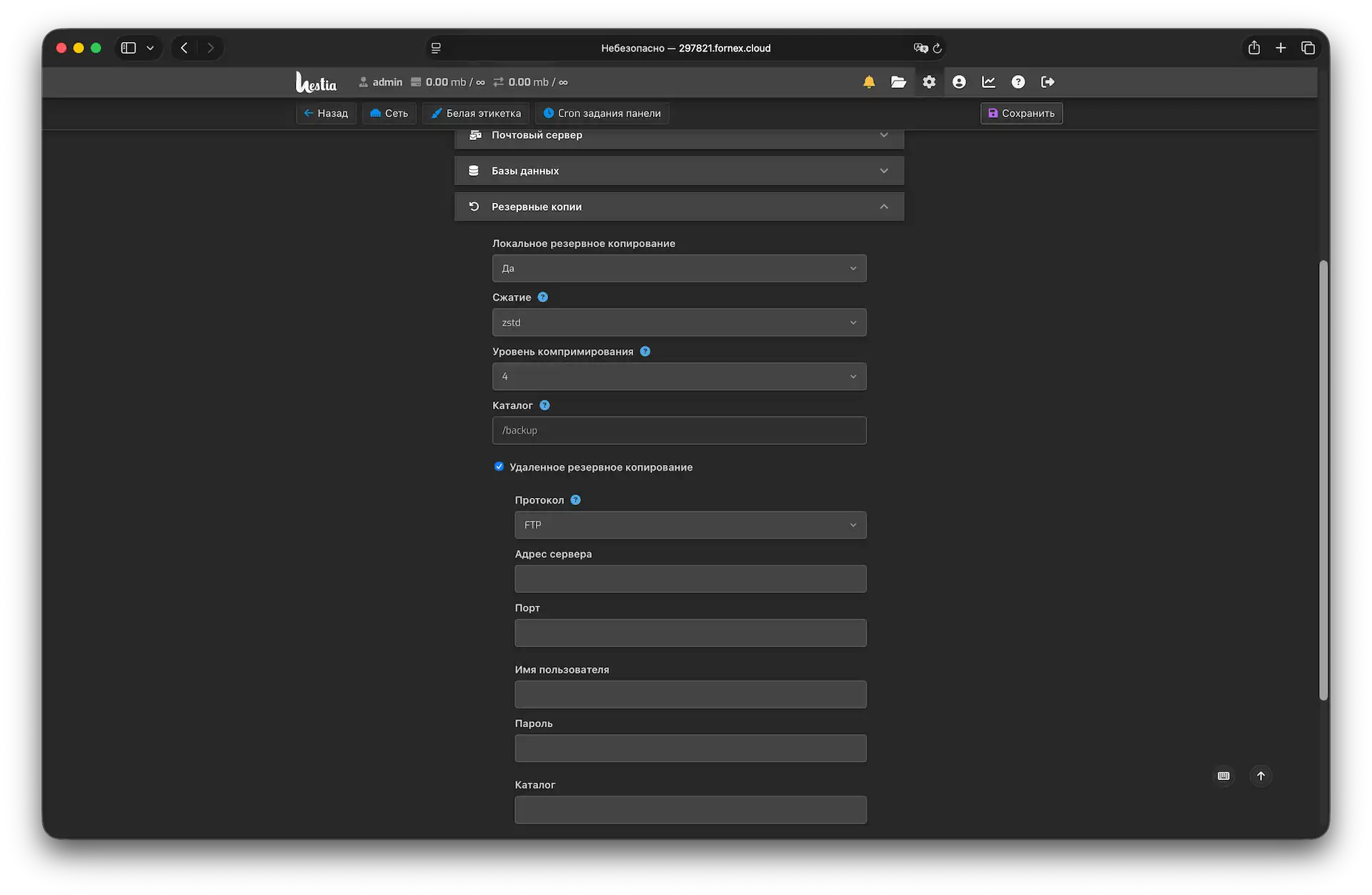 Remote FTP/SFTP backup configuration form
Important
The backup is first created locally on the server, and only then transferred to the remote server. Make sure you have enough free disk space.
Step 2: Set up backup schedule
- Go to the CRON section.
- Find the task
sudo /usr/local/hestia/bin/v-backup-usersand clickEdit. - Set a convenient schedule (nighttime is recommended to minimize server load).
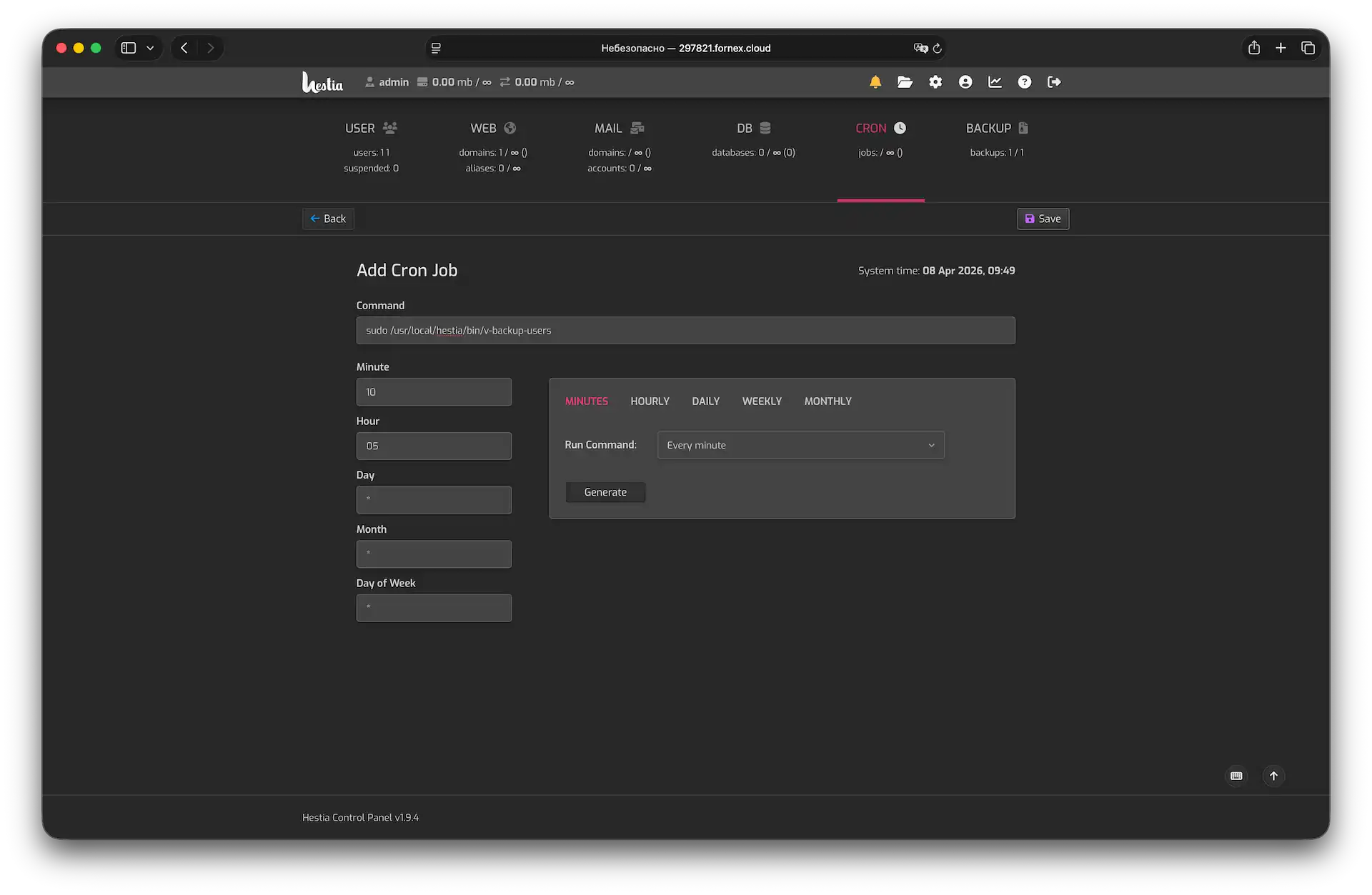 Configuring automatic backup schedule
- Save the changes.
Quick tips
- Use SFTP whenever possible for better security.
- Regularly check that backups are being successfully transferred to the remote server.
- The default local backup path in Hestia is
/backup.
Help
If you have any questions or need assistance, please contact us through the ticket system — we're always here to help!