Why Microphone Doesn't Work in Windows Server and How to Verify It
Windows Server versions do not support audio input devices - reasons for this limitation.
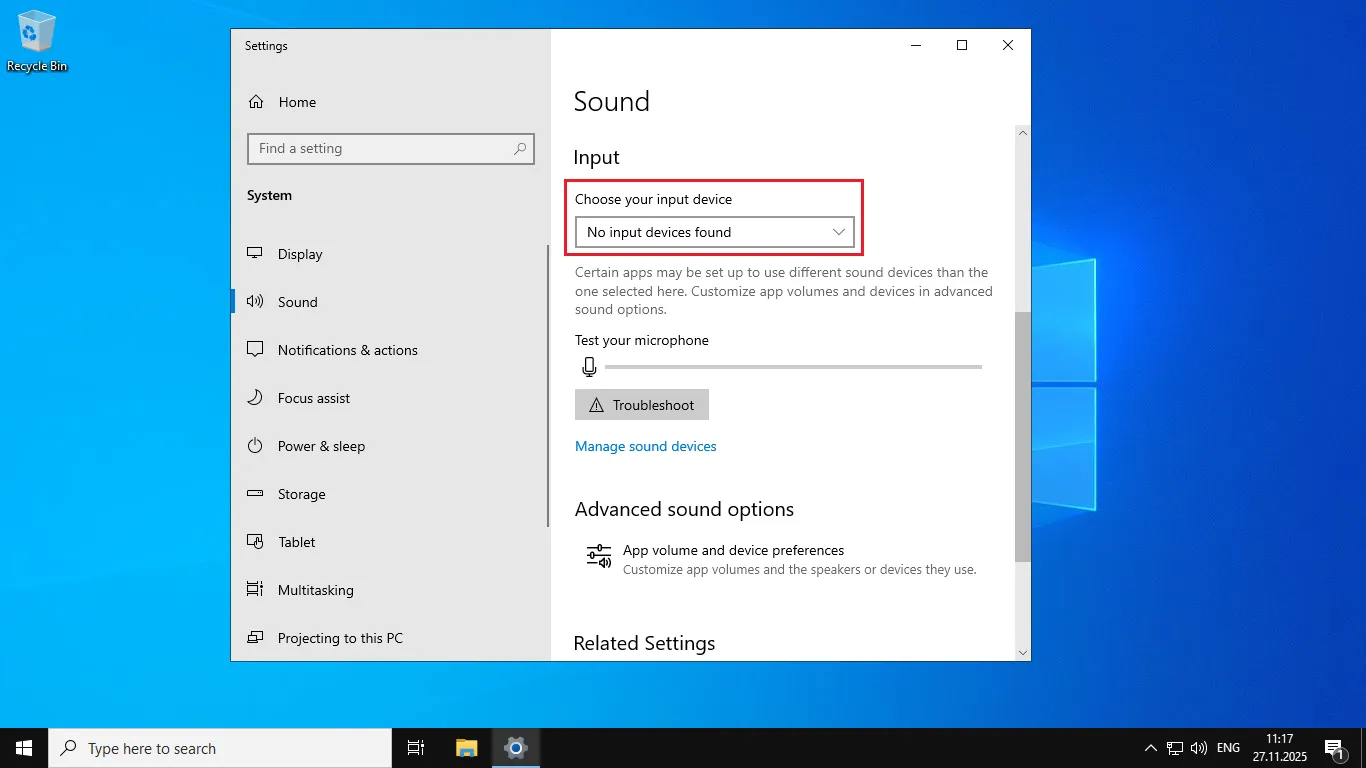
In Windows Server operating systems (2016, 2019, 2022, 2025), the ability to configure audio input devices (microphones) is unavailable by default. Users can only configure output devices (speakers, headphones), while the tab for managing microphones is not accessible.
This is not an error or malfunction — this behavior is built into the architecture of Windows Server versions, which were not originally designed to work with audio input.
How to verify the missing option
Right-click on the speaker icon in the system tray (lower right corner of the screen).
Select "Open Sound settings":
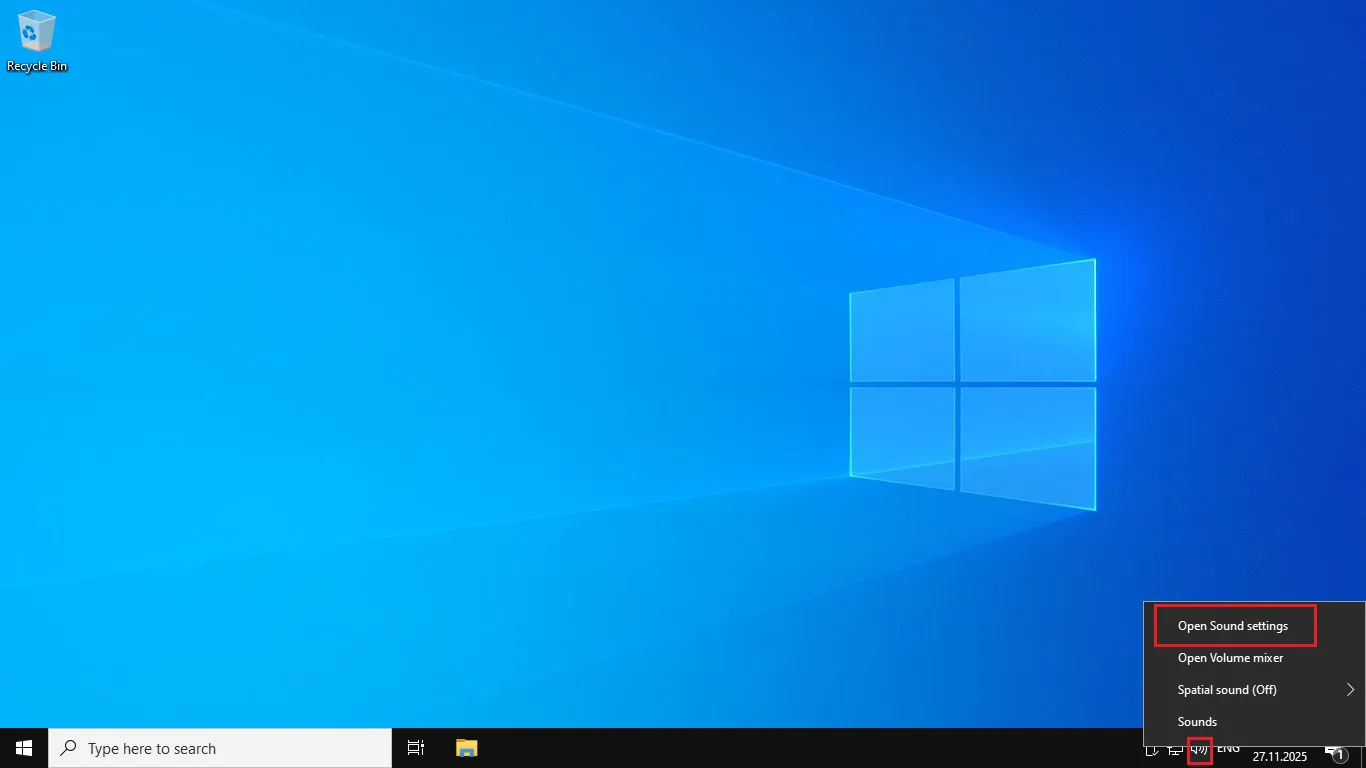
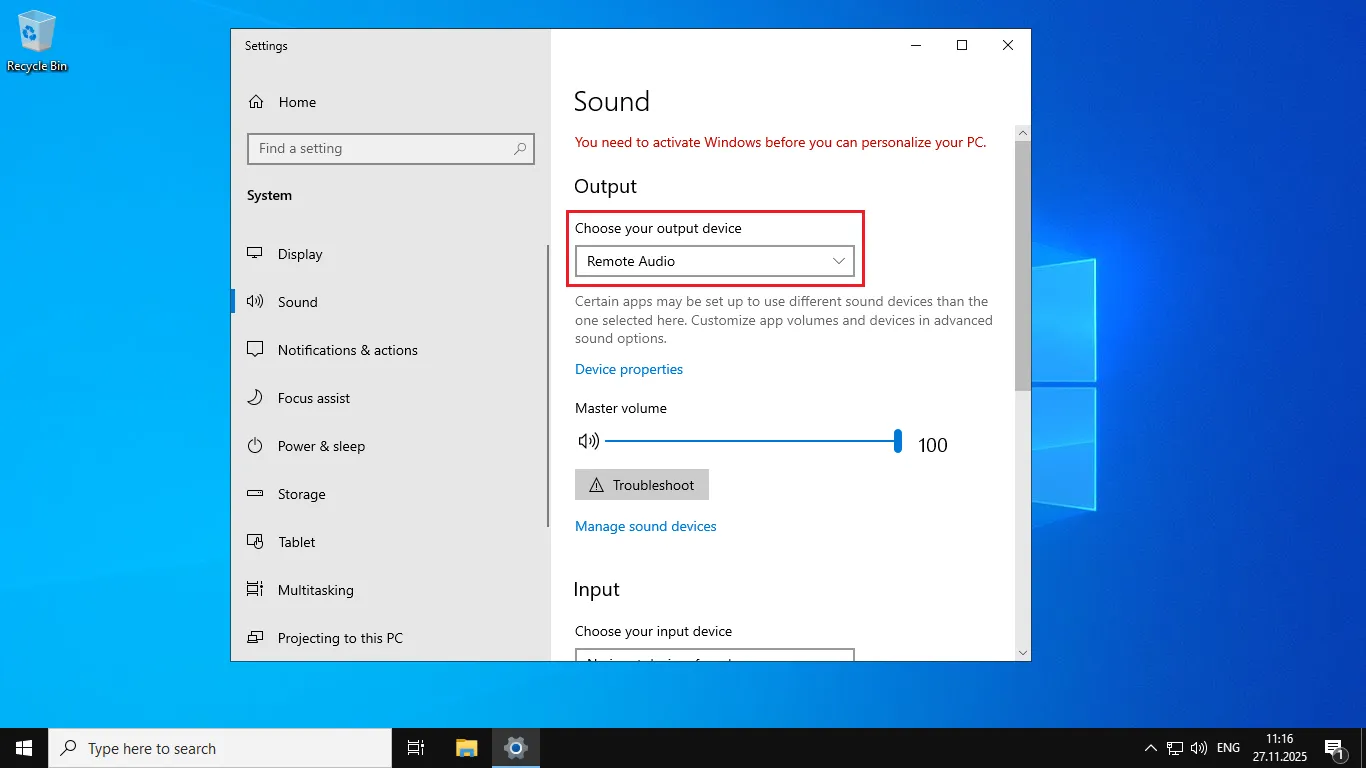
In the window that opens, you will see:
The "Choose your output device" section — present:
The "Choose your input device" section — absent:
Why this happens
Windows Server is a server operating system designed for:
- Hosting web servers and databases
- Managing network infrastructure
- Hosting applications and services
Audio input is not required for such tasks, so Microsoft excluded this functionality from Windows Server versions to:
- Reduce the attack surface (security)
- Decrease resource consumption
- Simplify administration
Help
If you have any questions or need assistance, please contact us through the ticket system — we're always here to help!